
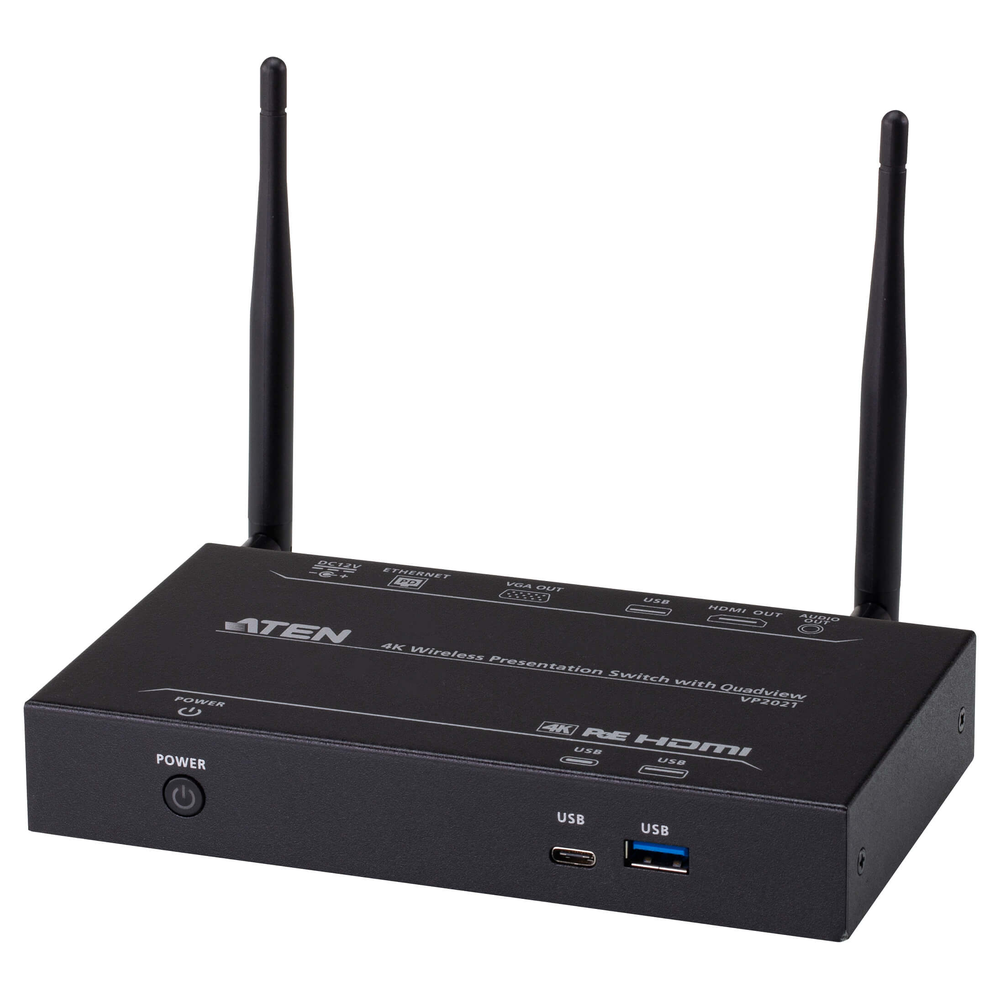
Comparing Video Switching prices in Sri Lanka begins with the room’s source and display layout. A meeting room may need several laptops connected to one screen. Another space may need different sources on several displays. Meanwhile, a collaborative room may need visitors to share wirelessly. These tasks call for different equipment, even though every option sits within video switching and presentation.
This guide compares three current ATEN products and explains how to build a practical specification. First, count the sources and displays. Then define the required picture format, switching behaviour and control method. Finally, decide who will operate the system and how visitors will connect. That sequence helps you avoid buying a complex device for a simple task or a basic switch for an independent multi-display layout.
Match the video switch to the room layout
An ordinary HDMI switch selects one input for an output. A matrix can route inputs to different outputs according to its supported layout. A wireless presentation system focuses on sharing content from compatible devices. Therefore, describe the intended behaviour before comparing model names. For example, showing different sources on two screens requires more than duplicating one selected source.
Also distinguish a display switch from computer control. Video switching does not automatically provide shared keyboard and mouse control of connected computers. If the operator needs that function, check the separate KVM requirement. Similarly, a wireless presentation product does not automatically replace every conferencing connection. Record camera, microphone, speaker and computer requirements independently, then check how they fit the complete room.
ATEN (Taiwan) 3-Port True 4K HDMI Switch – VS381B (3Y)
The VS381B is the straightforward option for three HDMI sources and one HDMI display. ATEN’s manual documents 4K at 60 Hz with 4:4:4 colour sampling. It also specifies the conditions for input and output cable lengths. This makes it relevant to a room that needs a capable picture format without independent routing to several screens.
A typical use is selecting between a presentation laptop, a permanent room computer and a media source. However, check whether users prefer manual selection or automatic switching. Automatic behaviour can be convenient, but a newly connected source may change what the audience sees. Test the expected sequence with the actual devices so that the controls remain predictable during a meeting.
Plan a dependable power connection as well. ATEN recommends using the USB-to-DC power arrangement rather than assuming HDMI power will always be sufficient. Keep the control and power leads accessible. Then confirm the display’s selected input and the source’s output mode. A clear label for each source can be more useful to everyday users than a long list of technical specifications.
ATEN (Taiwan) 4×4 HDMI Matrix Switch with Scaler – VM5404H (3Y)
The VM5404H is the advanced matrix option in this comparison. ATEN documents routing from four HDMI sources to four HDMI displays, with a built-in scaler and video-wall functions. Those capabilities suit installations where outputs need more deliberate routing and display management. However, a scaler does not imply support for every input timing, so check the supported formats before specifying the equipment.
For example, a training or presentation venue may need one source on a main screen and another on a secondary display. A matrix layout can support that kind of controlled routing. Write down the required combinations first. Then confirm that the installer can create and test the necessary profiles. Avoid relying on a general label such as matrix when the real task requires a particular output arrangement.
This model deserves consideration for a demanding installation, but it also introduces configuration work. Decide who will manage routing profiles and keep a record of the working settings. Also review the controller connection and access arrangements. For a small room with one screen, those features may offer little benefit. Choose the device because its documented functions solve a specific requirement.
ATEN (Taiwan) 4K Wireless Presentation Switch with Quad View – VP2021 (3Y)
The VP2021 addresses wireless content sharing and includes Quad View in its Richcom product name. ATEN describes it as a BYOD presentation solution for laptops and mobile devices. It is useful to consider when several participants need to contribute content. However, check the supported operating systems, connection methods and simultaneous-sharing behaviour for the actual devices that visitors bring.
Wireless sharing changes the installation priorities. Network planning, user instructions and access policies become part of the room design. Therefore, test a visitor device as well as the permanent office computers. Confirm whether the chosen connection method needs an application, a particular network connection or an approval step. Clear instructions help users begin a presentation without consuming meeting time.
Also decide how the room will handle several contributors. Quad View may suit comparison or group discussion, while a single full-screen source may suit a formal presentation. Check how the operator changes between those layouts. Finally, confirm what the product does for audio and how it connects to the display. Treat conferencing peripherals as separate requirements unless documented support covers them.
Video Switching prices in Sri Lanka: check the full signal path
The source, switch, cables and display must support the intended timing together. Resolution alone is incomplete; refresh rate and colour sampling also matter. Fine desktop text may need a different format from compressed video playback. In addition, check content protection for protected material. Test the actual content type, because a successful slide presentation does not prove every streaming source will work.
EDID negotiation tells a source what the connected display system can accept. Therefore, mixed screens can require careful settings. A matrix with a scaler offers different tools from a basic switch, but both need a suitable configuration. Record the chosen source modes and output settings. This makes it easier to recover after a laptop update or display replacement changes the behaviour.
Plan installation and simple room controls
Begin with a bench test and short known-good HDMI leads. Then add the intended cables, controller and displays. Check every required source-to-output combination. Also test power-up, sleep, wake and source changes. Finally, repeat the normal meeting workflow with someone who did not install the system. That reveals confusing labels and unexpected switching behaviour before the room goes into service.
Measure the actual cable routes, including wall and ceiling sections. Keep within the selected model’s documented limits. If the route needs extension, confirm that the complete chain supports the chosen signal. Avoid adding untested converters only to make connectors fit. Also leave ventilation and service access around the equipment so that a loose lead can be found and repaired quickly.
For wireless deployment, use ATEN’s official VP2020 and VP2021 manual as the model-specific reference. Follow the supplied version for current installation and operating instructions. Keep the room’s connection method and support contact easy to find. A short user instruction sheet helps the system remain useful after the installer leaves.
Avoid common video switch purchasing mistakes
Do not confuse one-output switching with independent matrix routing. Also avoid assuming that the word 4K guarantees every refresh rate. Another mistake is buying wireless equipment without testing the visitor workflow. Finally, do not overlook power, cable distance and audio routing. These practical details can determine whether a feature-rich product becomes a dependable room system or an ongoing support burden.
Maintain the presentation system and plan upgrades
Keep a record of model numbers, cable destinations, working picture modes and routing profiles. Check accessible leads and ventilation periodically. If a problem appears, isolate the source, cable and display using a known-good direct connection. Then restore the documented settings one component at a time. This reduces unnecessary replacements and helps distinguish configuration changes from actual hardware faults.
Comparing Video Switching prices in Sri Lanka is most useful after the room layout is clear. Choose simple HDMI selection for several sources and one screen, a matrix for defined multi-display routing, or wireless presentation for the required sharing workflow. Confirm availability and accessories in the current listing. Then test the complete arrangement before handover so that everyday operation remains straightforward.
Complete your network installation
Network Patch Cords · SFP and SFP+ Compatibility Guide · PoE Power Budget Guide · Structured Cabling Buying Guide
Check port interfaces and module compatibility before selecting uplink accessories.

