
Choose a rack PDU by matching the supply connection, equipment plugs and load requirements. To select one, specify the supply it will connect to, the devices it will power and how it will mount in the cabinet. Outlet count is only one part of the decision.
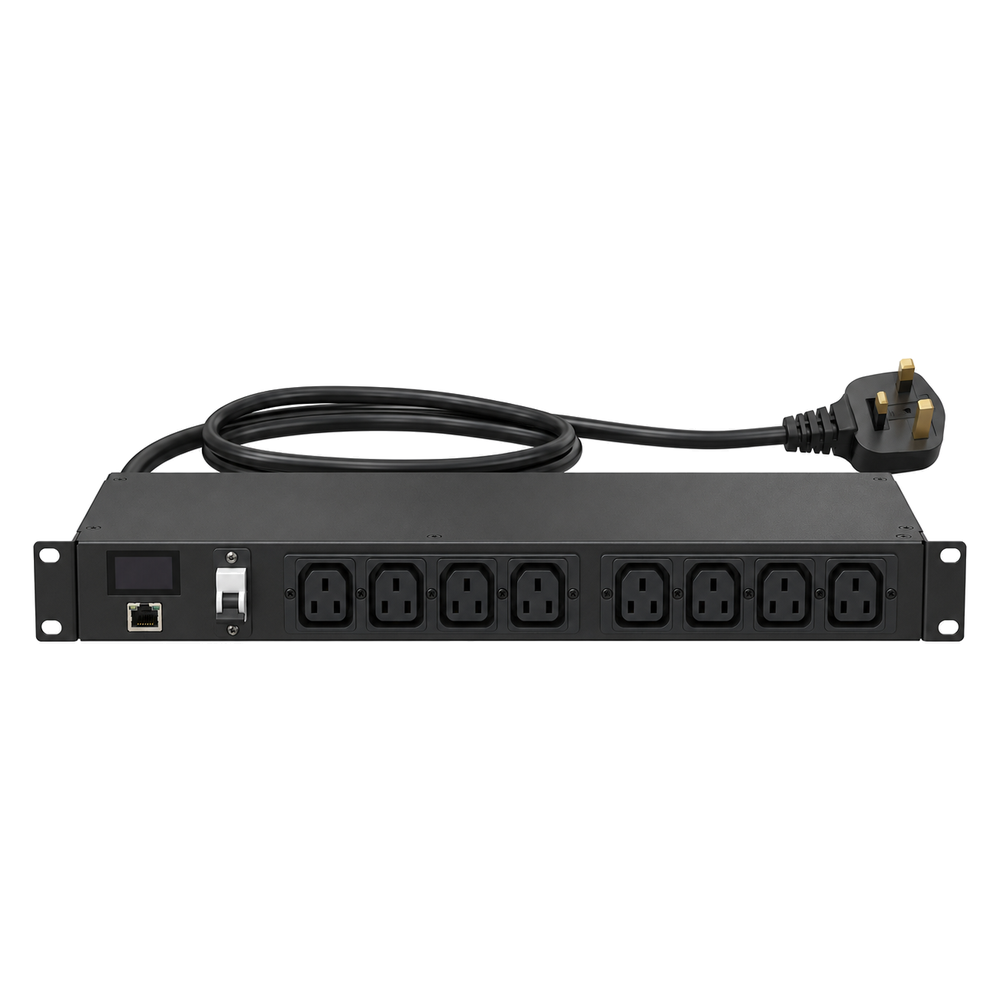
Input: match the supply connection
For your rack PDU, ask for the exact input connector, rated voltage, phase arrangement, current rating and cord length. Therefore, have the installer confirm compatibility with the available supply or UPS output and its protection. However, a connector adapter does not increase circuit capacity.
Match the output connections
First, list each device’s inlet and the power lead required. Common IEC pairings include C13 connectors with C14 inlets and C19 connectors with C20 inlets. Confirm the actual connector types and ratings shown on the proposed rack PDU and cables.
In addition, count both current devices and the spare outlets required. For equipment with two power supplies, record each cord separately and identify its intended feed.
Rack PDU ratings: respect every limit
The total input rating, any outlet-bank limit, individual outlet rating, cable rating and upstream supply limit all matter. Therefore, do not multiply the rating of one outlet by the number of outlets to calculate the PDU’s usable capacity.
Next, ask for the load schedule and allocation across outlet groups. Have the electrical design and installation checked by a qualified installer; a generic wattage estimate is not a substitute for the model’s instructions and site requirements.
Check the physical arrangement
A horizontal PDU uses rack space; a vertical unit may avoid using front mounting units but still needs compatible brackets and clearance. In addition, check its length, plug projection, cable route and whether it obstructs equipment removal.
When comparing Clever, ATEN or another quoted brand, use the exact model’s documentation. Therefore, do not assume that similar-looking units share inlet ratings, protection, monitoring or switching features.
For example, label each power cord with the device it serves and the intended supply feed.
Rack PDU: enquiry checklist
Request a rack or PDU quotation from Richcom with your equipment schedule, installation details and required accessories.
Return to the Server Rack and PDU Buying Guide in Sri Lanka
Technical references
Eaton: power distribution selection handbook
Complete your rack installation
Network and Server Racks · Rack Power Distribution Units · Rack Shelves and Equipment Supports · Rack Cable Management · Rackmount Online UPS Systems
Check cabinet depth, mounting, equipment load and electrical connections for each component.