
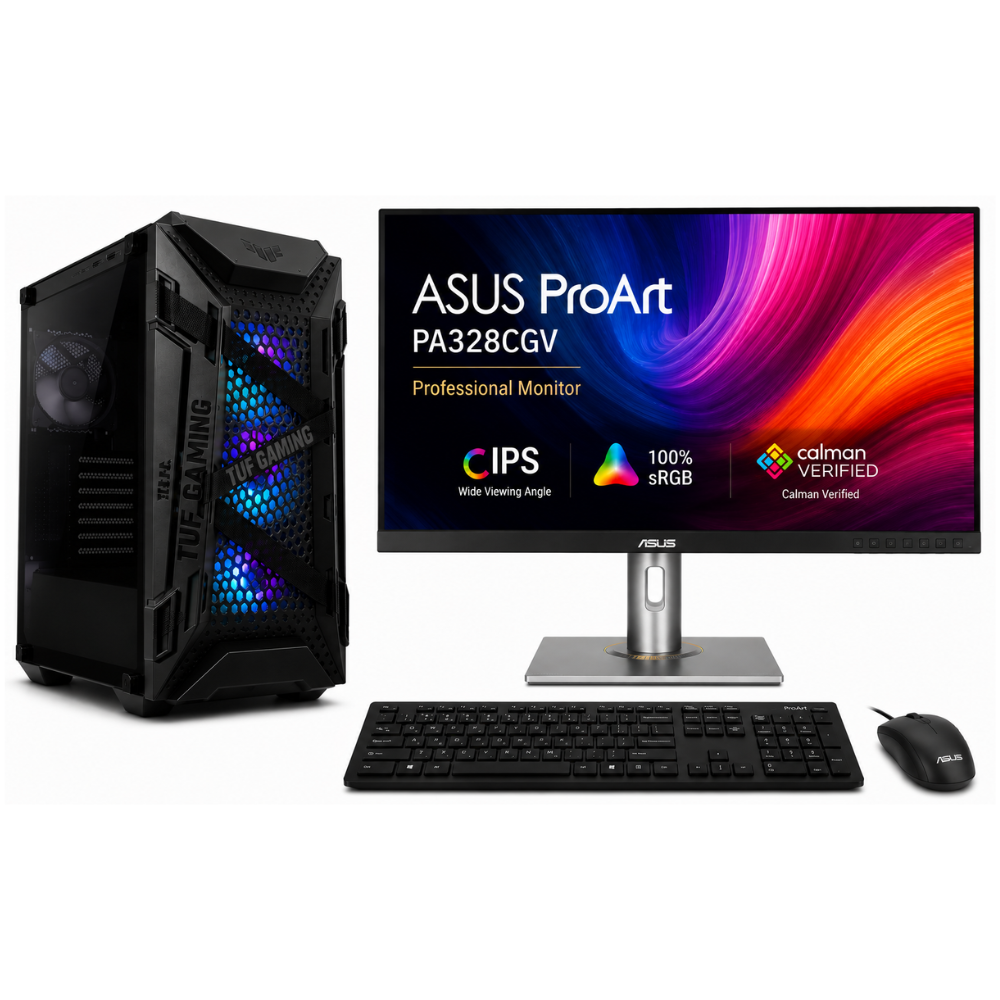
Author: Shantha · Last updated: 3 October 2026
Choose graphic design desktop computers to match your applications, memory, graphics support, SSD capacity and display requirements.
Graphic design desktop computers: What desktop specs are suitable for graphic design?
Choose a design desktop to match the graphics applications and file sizes you handle. Check each application’s current requirements, then consider processor performance, memory, storage, graphics support and a monitor suited to your colour and resolution needs.
For more information, see the linked published guide. Confirm current models, pricing, stock and warranty with Richcom before ordering.
Which components affect design workflows?
Large layered documents and multiple applications need memory and storage headroom. Some 3D, video and GPU-assisted features also depend on graphics hardware; check the software maker’s current recommendations.
What should I look for in a monitor?
Check resolution, panel type, brightness and stated colour coverage against your work and budget. For colour-critical projects, consider calibration and a consistent colour-managed workflow.
How do I compare complete desktop sets?
Compare the exact processor, installed RAM, SSD capacity, graphics, monitor model, included software and warranty. Ask whether future memory or storage upgrades are supported.
For advice based on your exact model and requirements, contact Richcom Technology or email [email protected].
Frequently asked questions
It depends on the applications and tasks. Check the software’s GPU requirements for 2D, 3D and video features.
A suitable resolution can provide more workspace and detail. Choose a monitor based on the design work, screen size and application requirements.
It may suit light 2D work if it meets the application requirements; larger projects and GPU-intensive work may need a different configuration.
Confirm the exact application, licence edition, activation and commercial-use terms in writing before ordering.

