
Server rack cooling is a combination of room design, cabinet airflow and equipment placement. Rack accessories such as fan trays, fan plates and temperature-control components can support an airflow plan, but they cannot compensate for an undersized air-conditioning system or blocked inlet and exhaust paths. This guide explains what to check when comparing server rack cooling and ventilation products in Sri Lanka.
Begin by measuring equipment heat output, room conditions and existing airflow. Identify whether the rack uses front-to-back airflow, how warm air returns to the cooling system and where blanking panels are needed. ASHRAE’s technical resources for data processing environments provide recognized guidance on thermal conditions and equipment operation: ASHRAE Datacom Series resources. Follow the equipment manufacturer’s operating limits and seek qualified design advice for critical rooms.
Understand the rack’s airflow path
Most rack cooling plans aim to supply cooler air to equipment inlets and remove warm exhaust without allowing the two streams to mix unnecessarily. A fan accessory should support this intended route. First confirm the direction of airflow through the servers and switches. Then inspect the cabinet doors, side panels, top openings and cable paths for restrictions.
Unmanaged openings can let air bypass the equipment. Blanking panels and sensible cable routing can reduce this bypass, while adequate space around the rack helps the room’s cooling system work as intended. Avoid covering fan grilles with cables or accessories. Check that each cabinet’s filters, if fitted, are clean and that room filters and cooling units receive scheduled maintenance.
Fan trays, fan plates and temperature controls
A rack-mount fan tray fits a specific rack opening and may provide several fan positions. Some trays are supplied without fans, so the buyer must source compatible fans and arrange the correct power supply separately. Verify the intended fan size, mounting layout, electrical requirements, airflow direction, noise and maintenance access.
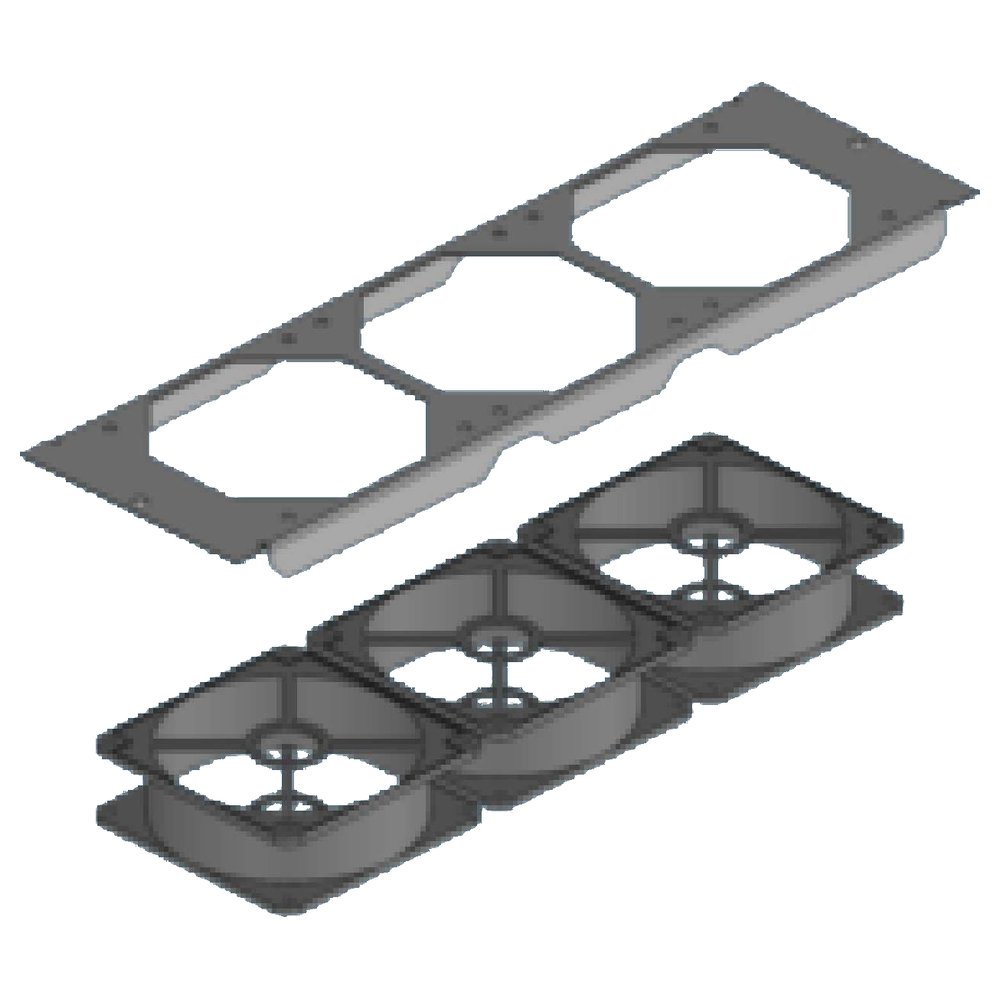
Fan plates fit designated top or bottom openings. Confirm the plate dimensions and the rack’s cut-out before ordering. A product with built-in AC fans requires suitable electrical installation and a safe supply connection. Never assume a plate’s voltage, plug or control method from its appearance.
A temperature-control plate or controller may support fan operation based on sensed conditions, depending on its actual specification. Verify whether a sensor, controller, fans and power supply are included. Check the setpoint range, sensor placement and fail-safe behavior with the product documentation. A temperature sensor that measures the wrong location can give a misleading view of equipment inlet conditions.
Compare three rack cooling products
TIMIK (Canada) 19″ Rack Mount Fan Tray 6 Fans without Fans 1U 600mm – 19A 19RMFT6
This one-unit tray is listed for a 600 mm rack and provides six fan positions, with the fans supplied separately. It can be considered where a compatible enclosure needs a fan tray and the installer will select matching fans. Confirm the fan size and mounting pattern, voltage, airflow direction, controller and wiring requirements before combining components.
TIMIK (Canada) Temperature Control Unit Plate 19″x2U – 19A TC
The product listing identifies a 19-inch by 2U temperature-control unit plate with a stated thickness of 1.2 mm. Check whether the required control electronics and sensor are included in the exact item. Confirm the plate’s rack compatibility and the control function in the product documentation. Do not assume that a mounting plate alone contains fans or provides automatic control.
TIMIK (Canada) Top & Bottom Fan Plate 3 x230V AC Fan 440x130mm – 19A TBFP230V3
This top-and-bottom fan plate is listed with three 230V AC fans and a 440 by 130 mm format. Confirm that the cabinet opening matches those dimensions and that the supply arrangement is appropriate for the site. Ask whether the plate is compatible with the specific rack series, how its cable is routed and what maintenance clearance is required.
Measure before choosing a rack fan accessory
Check the cabinet width, available rack units and opening dimensions against the product specification. Also inspect the top cover, mounting rails and cable entries. A fan plate that fits mechanically may still obstruct a cable route or conflict with a roof-mounted accessory. Leave space to reach the fasteners and replace fans without disturbing unrelated equipment.
Electrical compatibility is just as important. Verify the rated voltage, frequency, current, plug or terminal arrangement, protective device and earthing. The listing’s product name gives a starting point, but always confirm the complete datasheet for the exact model. Use a qualified electrician for fixed wiring or other work that requires it.
Installation and maintenance checklist
- Map equipment inlet and exhaust directions before planning accessories.
- Measure the rack opening and confirm the correct width and rack units.
- Verify whether fans, sensors, controllers and power supplies are included.
- Confirm electrical ratings and obtain qualified installation where required.
- Route cables away from air inlets, exhausts and fan blades.
- Check that doors and panels close without restricting airflow.
- Clean filters and fan guards according to the product instructions.
- Monitor temperatures at representative equipment inlets after installation.
Common rack cooling mistakes
Adding fans without understanding the room’s air path can move warm air in the wrong direction or recirculate exhaust. Check the overall cooling plan before changing fan positions. More fans do not automatically mean better cooling; airflow depends on the equipment, cabinet, room and pressure conditions.
Another mistake is assuming a fan-free tray includes fans or a controller. Confirm the bill of materials and model variant. Do not combine fans solely because their dimensions appear similar. Match their electrical and airflow characteristics to the tray and operating plan.
Finally, a fan accessory cannot replace capacity planning or room cooling. If equipment inlet temperatures remain above the manufacturer’s limits, review the room cooling system, rack layout, load distribution and blanking strategy with a qualified data-centre professional.
Frequently asked questions
Will a rack fan tray solve an overheating problem?
Not by itself. Diagnose the room supply and return path, equipment airflow, rack openings and workload first. A tray can support a plan only when it is installed and configured for the cabinet.
Do fan trays always include fans?
No. Some models are explicitly supplied without fans. Confirm whether fans, power supplies, controls and mounting parts are included with the exact product.
What should be monitored after installation?
Measure temperatures near equipment air inlets and compare them with the manufacturer’s operating range. Also check fan operation, filters and room cooling during typical and peak load conditions.
Compare server rack cooling and ventilation products
Compare current server rack cooling and ventilation products in Sri Lanka after confirming the cabinet opening, airflow plan and complete electrical configuration. Verify current availability, included accessories and fit with Richcom before ordering. Good cooling starts with measured conditions and a clear airflow route.
Complete your rack installation
Network and Server Racks · Rack Power Distribution Units · Rack Shelves and Equipment Supports · Rack Cable Management · Rackmount Online UPS Systems
Check cabinet depth, mounting, equipment load and electrical connections for each component.

