

Laptop display support · Richcom Technology
Arrange display fitting for your Toshiba laptop
Laptop screens of the same size can differ in resolution, connector position and touch support. If you need help choosing an Original display and arranging fitting, send the exact laptop model and describe the current screen.
Request an AppointmentYour preferred visit time needs confirmation.
- Tell us about the fault
Share the model and symptoms in the form below.
- Confirm your appointment
Submit a preferred date and time for confirmation.
- Approve the quoted work
Charges are quoted after assessment. Work needs your approval.
Original Toshiba laptop display compatibility guide · Reviewed 10 October 2026
Choose an Original Toshiba laptop display by matching the exact laptop model, screen size, resolution, connector, mounting arrangement and touch requirement. The brand and screen size alone do not establish compatibility. Use the installed panel details and the manufacturer’s service information to confirm the correct configuration.
Which Original Toshiba laptop display fits my laptop?
Start with the full model identifier from the laptop label or system information. Record whether the current display supports touch and its native resolution. If the machine has several factory screen options, a technician should check the installed panel, cable and mounting points before ordering.
The Toshiba examples below are separate model-specific listings. Use their current titles and specifications to make a shortlist, then match the installed panel and cable before confirming a purchase. A family name may cover several display configurations.
Compare current Toshiba display listings
These prices are in LKR, checked against Richcom’s published listings on 10 October 2026. They are product prices; confirm fitting charges separately. Follow each product link for the latest price, availability and warranty terms.
| Published product | Price (LKR) | Listed warranty |
|---|---|---|
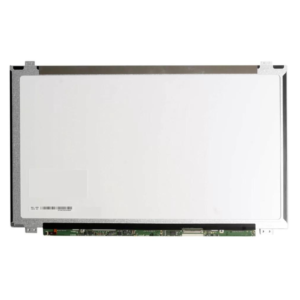
| Toshiba (Japan) Original Satellite C850 C850D Series 15’6 Laptop Display | 13,500 | 6 months as listed; confirm terms |
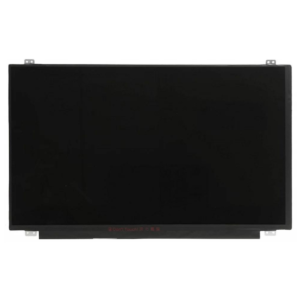
| Toshiba (Japan) Original Satellite Pro C50-H 15’6 IPS FHD Laptop Display | 22,000 | 6 months as listed; confirm terms |
What details must match before fitting?
| Check | Why it matters |
|---|---|
| Screen size and physical dimensions | The panel must fit the lid and mounting arrangement. |
| Resolution and supported signal | The panel and laptop display cable must support the intended configuration. |
| Connector type, pin count and location | A similar connector or matching pin count alone is insufficient. |
| Touch or non-touch | Touch assemblies can use different components and connections. |
| Refresh rate | A higher-refresh screen needs a compatible panel, cable and laptop configuration. |
| Mounting tabs, thickness and bezel | Mechanical differences affect installation even at the same diagonal size. |
HD, FHD, IPS, LED and OLED: what do the labels mean?
HD and FHD describe resolution; FHD is 1920 × 1080 pixels. IPS describes a type of LCD panel. “LED” commonly refers to the backlight in an LCD screen, rather than a separate self-emitting display technology. OLED uses self-emitting pixels. The correct choice depends on the configuration supported by the laptop.
Do not assume every Toshiba screen has the same brightness, colour gamut, viewing angles or response time. Those specifications depend on the supplied panel. Ask for verified specifications where colour-sensitive design work or a particular refresh rate matters.
Does a laptop screen include HDMI, speakers or a webcam?
A bare display panel does not provide the laptop’s external HDMI, USB or audio ports. Speakers, webcams, microphones and Bluetooth hardware are separate components. An entire lid assembly may contain additional parts, so confirm whether a quotation is for a panel or a complete assembly.
Can I upgrade from HD to FHD or from 60Hz to 144Hz?
Sometimes a laptop family supports more than one display option, but that does not make every upgrade interchangeable. The display cable, supported interface, mounting arrangement and firmware or hardware configuration must be checked. Confirm the exact machine before paying for a higher-resolution or higher-refresh display.
Should a dark or flickering screen be diagnosed first?
Yes. A cracked panel is different from an intermittent cable fault or a laptop that is failing to output video. An external monitor test can help with diagnosis, but it does not by itself prove which internal component is faulty. Ask for assessment when the cause is uncertain.
How should I clean and protect the screen?
Follow the laptop manufacturer’s cleaning instructions. Use a soft cloth, avoid spraying liquid directly onto the panel and do not press hard on the display. Keep objects off the keyboard before closing the lid and avoid lifting the laptop by its screen.
Before you order or book fitting
Share the complete model, the screen fault and whether the laptop uses touch. Confirm the panel specifications, product price, fitting charge, availability and warranty terms with Richcom. Service arrangements and appointment times need confirmation.
Sources and compatibility checks
The linked Richcom product listings support the names, prices and listed warranties in the comparison. For hardware configuration and fitting, consult the manufacturer’s support page and service manual for your exact model. No brightness, connector or refresh-rate claim is inferred from a product photograph.
Need help with fitting?
Laptop Repair and Fitting Service
Request a diagnosis and confirm the fitting charge and compatibility before your visit.
Request an Appointment
Toshiba laptop display assessment and fitting
Repair charges will be quoted after assessment. Work begins after your approval. Your preferred visit needs confirmation.

