Author: Shantha · Last updated: 3 October 2026
Find Xerox original toner by matching your exact printer model to the cartridge code, colour, yield and regional part number.
Xerox original toner: How do I find the correct genuine toner for a Xerox printer?
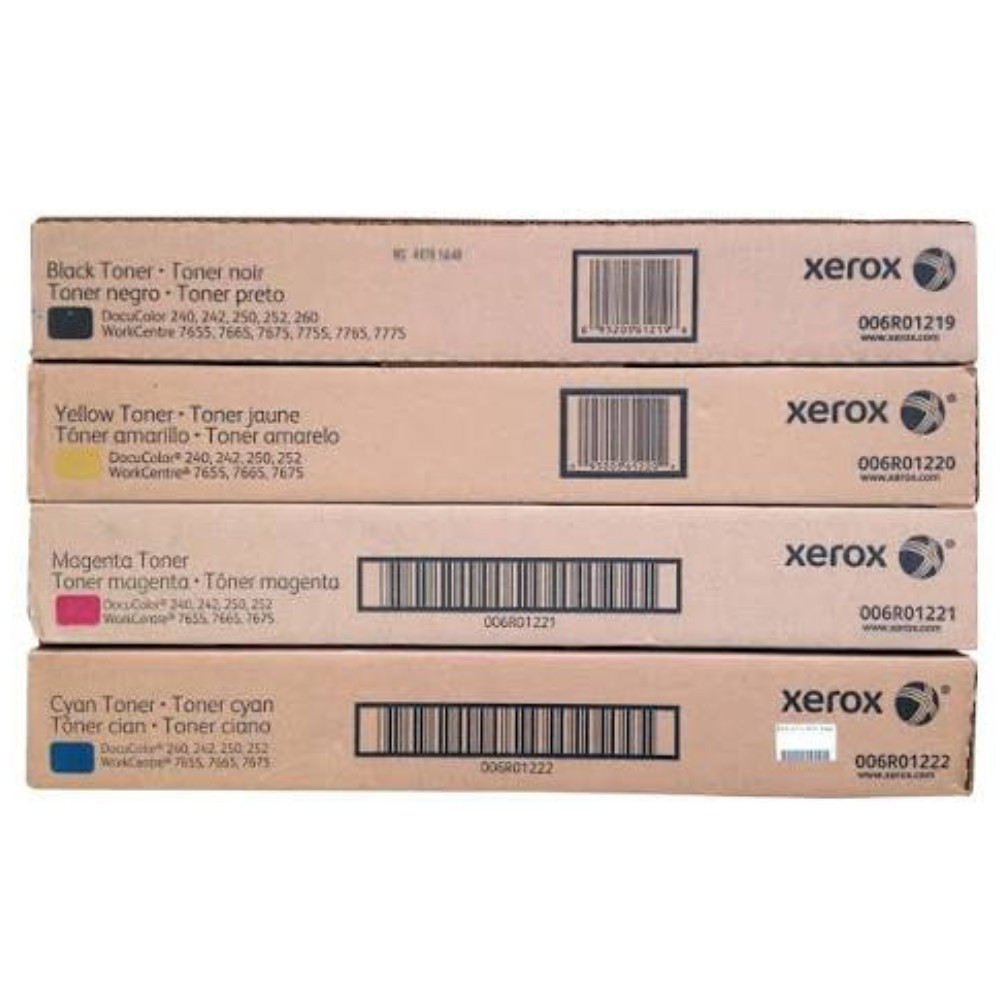
Find the toner by matching the exact Xerox printer or copier model to the cartridge code listed in its manual or official supplies guide. Confirm the regional part number, colour, yield and compatibility before ordering, then check current price, stock and warranty with the supplier.
For more information, see the linked published guide. Confirm current models, pricing, stock and warranty with Richcom before ordering.
Where can I find the toner cartridge number?
Check the installed cartridge label, printer display, user manual or official supplies page for the exact printer model. A similar-looking cartridge may not fit or function in the same device.
What should I confirm about yield and compatibility?
Compare the manufacturer’s stated page yield and regional code, and check whether the cartridge is original and sealed. Real yield varies with coverage, settings and print conditions.
How should I store a toner cartridge?
Keep toner in its protective packaging until use and follow the manufacturer’s storage guidance. Avoid heat, moisture and rough handling.
For advice based on your exact model and requirements, contact Richcom Technology or email [email protected].
Frequently asked questions
Match the exact printer model and cartridge code against the manufacturer’s supplies information. Confirm the code with the supplier.
Published yield is an estimate under a defined test method. Actual pages depend on document coverage and print settings.
Regional codes and device compatibility can vary. Verify the exact part number for your machine before ordering.
Provide the full Xerox printer model and cartridge code, plus colour and quantity.