To begin, list the computers and connections you need. In particular, this KVM switch buying guide helps you compare KVM Switch prices in Sri Lanka. Also, a KVM switch lets one keyboard, display and mouse control multiple computers. For example, it suits support technicians, shared desks and server rooms. Then match the computer count, video ports, resolution, cable distance and switching method.
Overall, this KVM switch buying guide compares three ATEN models listed by Richcom. For example, it covers a compact two-computer VGA unit and two 16-port rack systems. Then check current KVM Switch prices in Sri Lanka, plus each listing for availability, warranty and included items.
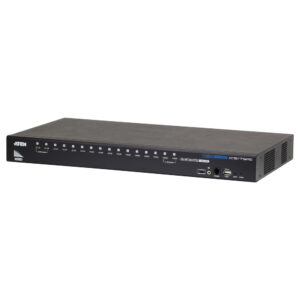
For two VGA computers, the CS22U offers a compact desktop setup. By contrast, the CS17916 connects 16 HDMI computers in a rack. Meanwhile, the KH1516A links 16 systems over Cat 5 through compatible adapters.
| Model | Direct computer connections | Video and link type | Typical fit |
|---|---|---|---|
| ATEN CS22U | 2 | VGA, attached USB/VGA leads | Desk or service bench with VGA computers |
| ATEN CS17916 | 16 | HDMI and USB | Rack or control room with HDMI computers |
| ATEN KH1516A | 16 | Cat 5 links and compatible ATEN KVM adapters | Rack installation with structured KVM cabling |
KVM switch buying guide: What does a KVM switch do?
First, KVM means keyboard, video and mouse. Instead, think of a KVM switch as a device that sends those controls to one selected computer. For example, users can switch by pressing a button, using a hotkey or choosing from an on-screen menu. Therefore, the model determines which controls are available.
By comparison, a video splitter duplicates one computer’s picture across several displays. By contrast, a KVM switch lets one keyboard, display and mouse operate several computers. In addition, a VGA model does not convert VGA to HDMI. Therefore, check every connection before ordering.
ATEN (Taiwan) 2-Port USB VGA Cable KVM Switch with Remote Selector – CS22U (3Y)
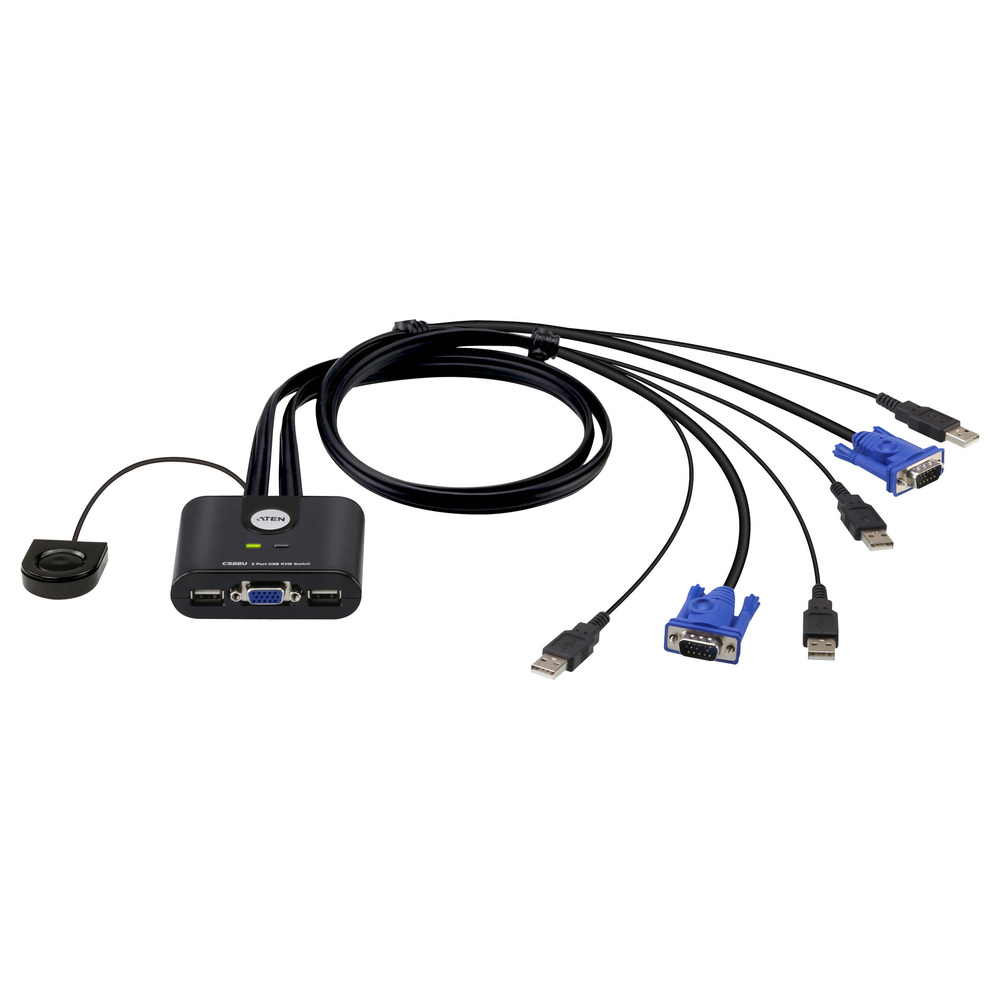
The CS22U shares one VGA monitor and a USB keyboard and mouse between two computers. Additionally, its attached 0.9 m leads reduce loose cable clutter on a small desk. Next, place the separate 1.8 m selector within easy reach. The unit supports VGA up to 2048 × 1536 and draws USB power, so no mains adapter is needed.
For example, choose this model for a desktop or service bench where both computers have VGA and USB. It also suits older office PCs, diagnostic benches and a second workstation with VGA. However, it does not convert HDMI to VGA. In addition, the listed package includes attached leads and a user guide. Richcom lists a three-year warranty. Then check the linked heading for current availability, warranty terms and included items.
ATEN (Taiwan) 16-Port USB HDMI Audio Rack KVM Switch – CS17916 (3Y)
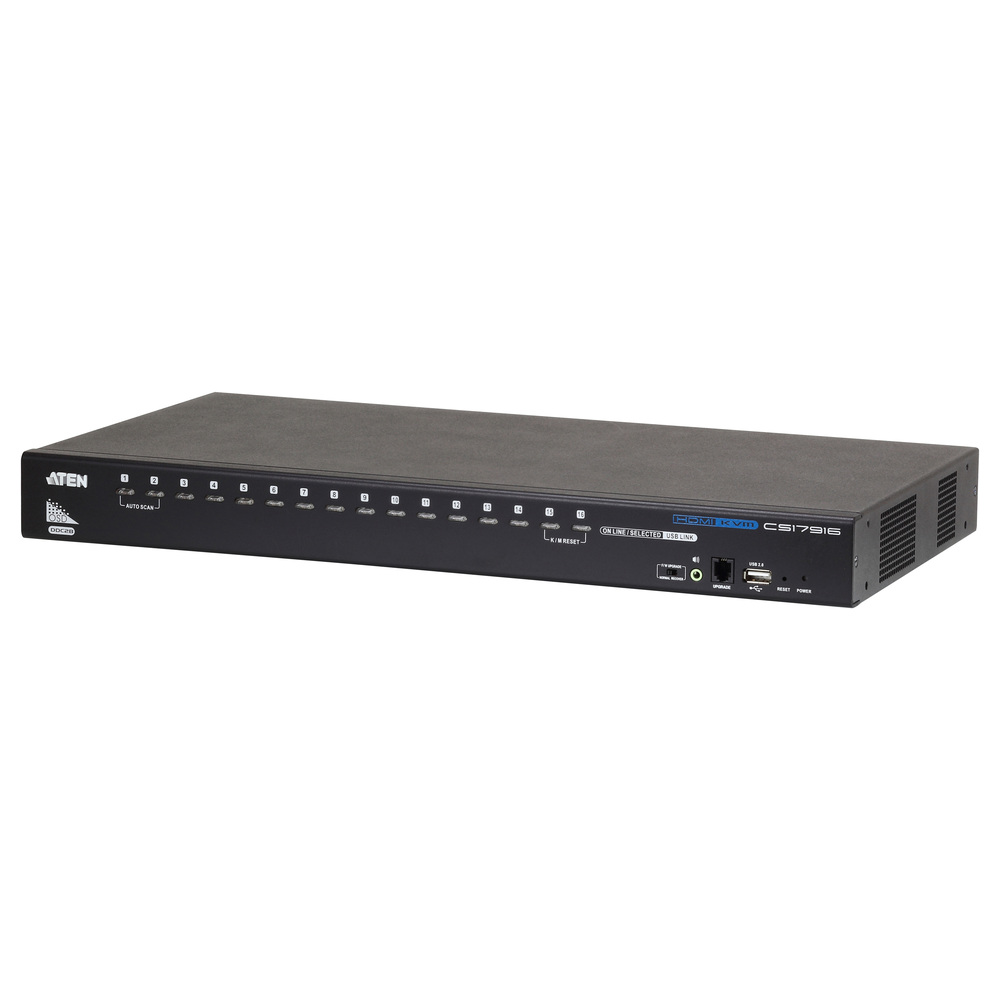
The CS17916 connects up to 16 HDMI-and-USB computers to one local console. In addition, it supports 1920 × 1080 video at 60 Hz. Also, users can switch by on-screen display, hotkeys or front-panel buttons. A built-in two-port USB 2.0 hub shares compatible peripherals. Meanwhile, operators can select audio and peripherals independently when needed.
Moreover, compatible cascading expands control to as many as 256 computers. As a result, the switch suits a server room, lab or control desk managing many HDMI systems. However, plan cabling before installation. The package includes two 1.8 m KVM cables, so buy compatible cables for the remaining direct connections. Also, Richcom lists a three-year warranty. Then check the linked model heading for current availability and included accessories.
ATEN (Taiwan) 16-Port Cat 5 VGA Rack KVM Switch – KH1516A (3Y)
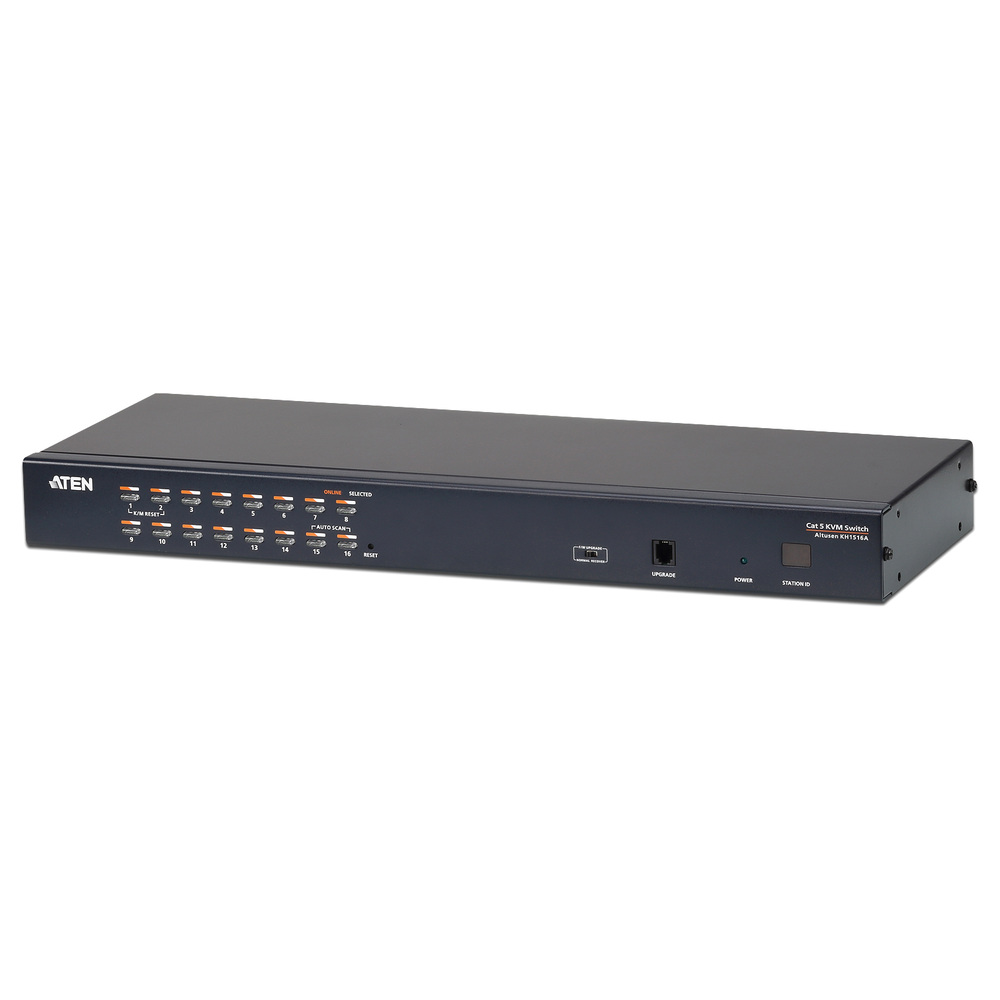
In addition, the KH1516A connects 16 computers through RJ45 KVM ports and compatible ATEN adapters. Cat 5 links can simplify rack-side cable management and connect computers farther from the switch. Meanwhile, the local console supports PS/2 or USB. Then users can select computers through the on-screen display, hotkeys or front-panel controls. Therefore, compatible daisy-chaining supports up to 512 computers.
Specifically, Richcom lists video up to 1920 × 1200 at 60 Hz over 30 m with supported adapters. However, resolution depends on adapter and distance. Moreover, you must buy adapters separately. Therefore, include them in the project budget and confirm the correct model for each computer. However, RJ45 ports carry KVM signals; they do not connect to Ethernet. Also, this model uses a local console, not KVM-over-IP. In addition, Richcom lists a three-year warranty. Then check the linked model heading for availability and adapter compatibility.
KVM switch buying guide: How do port count and features affect your choice?
Overall, port count strongly affects KVM Switch prices in Sri Lanka. First, count today’s computers and allow for near-term additions. A two-port switch suits a personal desk with two systems. By contrast, larger operations desks and server rooms may need a 16-port unit. Also, extra ports can raise cost and rack complexity. Consequently, avoid buying too many or too few ports; either choice can add expense later.
First, distinguish direct ports from expanded capacity. For example, the CS17916 connects 16 computers directly; you can cascade compatible switches to reach 256 systems. Similarly, the KH1516A connects 16 systems directly and supports daisy-chaining up to 512. However, expansion requires compatible switches, adapters and cabling. Therefore, plan the topology; maximum capacity does not mean one box includes connections for every system.
Which video connection and resolution do you need?
First, check each computer’s output and your monitor’s input. However, VGA and HDMI are different interfaces. Next, confirm your target resolution and refresh rate. For example, ATEN rates the CS22U up to 2048 × 1536. Meanwhile, the CS17916 supports HDMI at 1920 × 1080 and 60 Hz. For the KH1516A, supported resolution depends on the adapter and cable distance.
However, if your computer only has HDMI but the KVM accepts VGA, add a compatible active converter. Similarly, confirm its supported resolution and refresh rate. Also check audio, specialist keyboards, USB storage and other peripherals separately. Therefore, remember that a switch which supports a keyboard and mouse may not handle every USB device the same way.
Desktop KVM or rack KVM: which setup is right?
For example, the CS22U works well on a desktop or service bench. Then connect the small number of nearby computers. As a result, its attached leads reduce the number of loose cables to manage. In addition, its remote selector lets users switch systems without reaching behind equipment.
First, check rack width and depth, space, power, airflow and console access before installation. In general, a rack KVM serves larger installations with one fixed console. For example, the CS17916 uses separate video and USB cables for each computer. Meanwhile, the KH1516A uses compatible adapters and structured Cat 5 cabling. However, this layout needs adapter and cable planning when computers sit farther from the rack.
Is Cat 5 KVM the same as KVM-over-IP?
In fact, a Cat 5 KVM system carries keyboard, video and mouse signals over a direct cable link between the switch and a compatible computer adapter. Specifically, the KH1516A’s RJ45 ports carry KVM signals; they do not connect the unit to an Ethernet switch or office LAN.
By contrast, a KVM-over-IP product gives authorized users remote control across an IP network. However, if administrators need remote server access, choose a model explicitly described as KVM-over-IP. Then review its authentication, network and access-control requirements. Therefore, note that the CS17916 and KH1516A in this guide use local consoles.
KVM switch buying guide: What should you check before buying?
- Computer count: Confirm the number of direct ports and whether compatible expansion is available.
- Video standard: Match VGA, HDMI or the model’s adapter-based connection to every source and display.
- Resolution and distance: Verify supported resolution at the cable length and adapter combination you plan to use.
- Peripheral sharing: Check support for USB keyboard, mouse, audio and any specialist devices you rely on.
- Included cables and adapters: Review the box contents. Some rack models include only a limited number of computer cables, and Cat 5 systems require compatible adapters.
- Switching method: Consider whether users prefer a front-panel button, hotkey, remote selector or on-screen menu.
- Installation: Allow for rack space, cable routes, power, ventilation and clear labelling of connected computers.
- Warranty and stock: Confirm the current local warranty, availability and return terms before completing a purchase.
KVM switch comparison: Which model is best for your setup?
In short, the CS22U fits a desk with two VGA-and-USB computers. Moreover, the CS17916 suits 16 HDMI computers and a local console; it also shares USB peripherals and supports compatible cascading. Therefore, choose the KH1516A for 16 local KVM connections over Cat 5. You will need compatible adapters for the computers.
In conclusion, use this KVM switch buying guide to compare KVM Switch prices in Sri Lanka. Next, shortlist models that meet the required computer count and video interface, then check the cabling, warranty and expansion options. Stock, warranty and included accessories can change, so confirm the latest listing details before ordering. Finally, the linked full model names above take you to the corresponding product listings; the category link near the beginning opens Richcom’s KVM range.