Server rack castors, feet and plinths affect how a cabinet is supported, positioned and maintained. The right accessories must match the rack’s frame, footprint and floor conditions. This guide explains how to compare rack plinths, adjustable feet and castor assemblies for server and network cabinets in Sri Lanka.
For server rack castors, start with the rack model and installation plan. Check the cabinet manufacturer’s load rating, base design and approved accessory options before moving or supporting a loaded enclosure. For broader ICT infrastructure planning, see the standards and professional resources maintained by BICSI. A trained installer should assess floor conditions, anchoring and safe handling where the rack carries heavy equipment.
What do rack plinths, feet and castors do?
A plinth is a base fitted beneath a compatible cabinet. It can raise the rack above the floor and provide a defined mounting footprint. Some plinths are designed to work with castors or adjustable feet; others provide a fixed base. Confirm the exact accessory design rather than assuming a plinth includes wheels or levelling hardware.
Adjustable feet help level a stationary cabinet on a suitable floor. Anti-vibration feet can be specified where the product and application support that use. Feet are not a substitute for structural anchoring when the installation requires it. Check thread size, length, load rating and attachment points with the rack documentation.
Castors allow a rack to be moved during installation or service. They introduce a different load and stability condition from fixed feet. Confirm the wheel and bracket capacity, braking arrangement, rack compatibility and whether movement is permitted with equipment installed. Do not move a loaded rack unless the manufacturer approves that method and a competent team has assessed the route.
Check the rack footprint and mounting interface
Measure the cabinet’s external footprint and identify its product family. Similar looking racks may use different base dimensions or fastening patterns. Match the width and depth, such as 600 by 800 millimetres, to the exact rack. Also check whether the accessory is meant for a floor-standing cabinet, a wall-mounted enclosure or a specific frame type.
Verify the mounting thread and supplied hardware. A bolt that appears close may still damage the frame or fail to engage correctly. Compare the accessory drawing with the rack base, and check any required spacers or brackets. If the model documentation is unclear, ask the rack supplier to confirm the compatible cabinet series before ordering.
Server rack castors: assess floor, levelling and stability
Uneven flooring can make a cabinet rock or place uneven force on its frame. Adjustable feet can help with levelling when used within their stated range. Check for floor slopes, raised access panels, tiles and thresholds. Consider how the rack will be secured and whether levelling changes affect nearby cable routes, doors or equipment alignment.
Castors need a level, clear travel path and a suitable floor. Check ramps, expansion joints, door sills, lifts and turning space before the rack is moved. Confirm how the rack is restrained once it reaches its location. A wheel brake can prevent rolling, but it does not necessarily provide the same stability as a fixed, level and anchored installation.
Weight matters. Include the rack, installed equipment, accessories and expected future additions when checking load limits. A safety factor and the manufacturer’s instructions should guide selection. Never infer a safe capacity from appearance or from a single wheel’s published rating without considering the complete assembly and load distribution.
Compare three rack support options
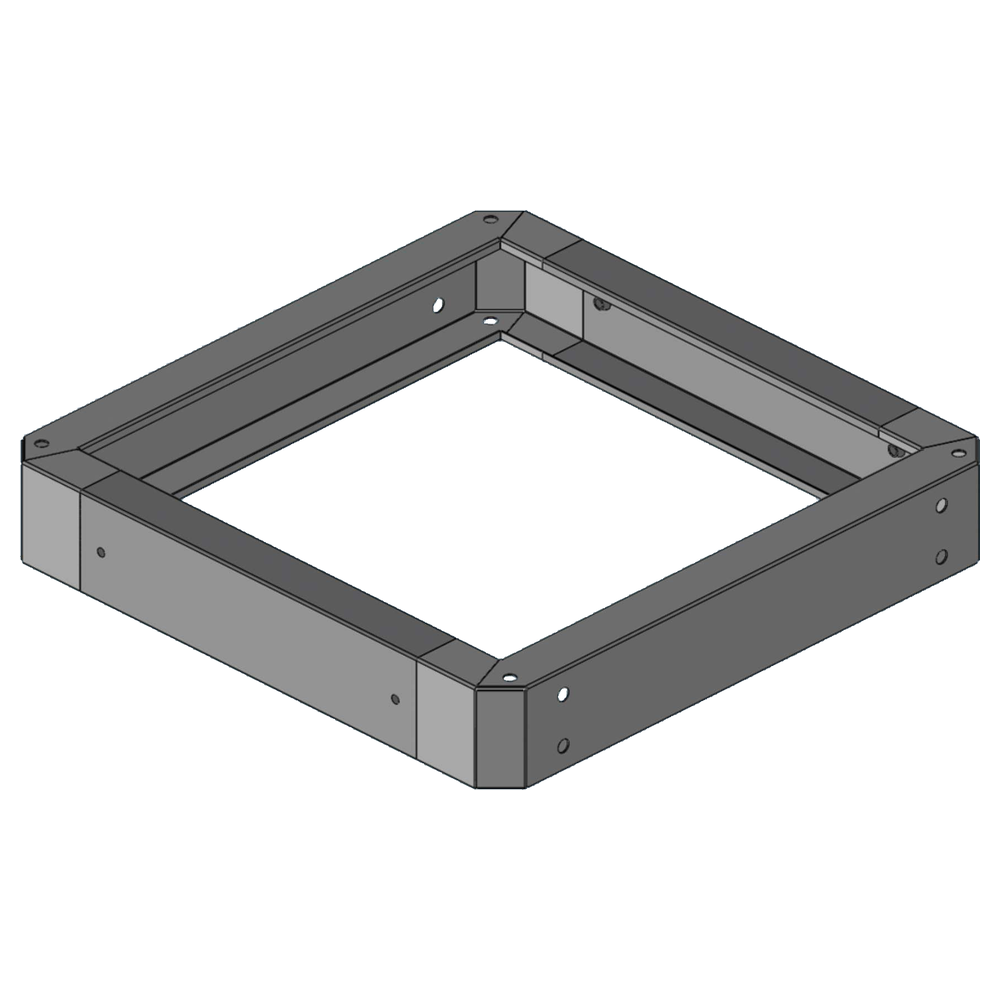
TIMIK (Canada) 19″ Rack Plinth 100mm 600x800mm – 19A PL68
The product listing identifies a 100 mm plinth in a 600 by 800 mm format, with a stated thickness of 1.5 mm. It is a candidate when the compatible rack footprint matches those dimensions. Confirm the full rack family, fixing method and whether the installation needs separate levelling feet or mobility accessories. A dimension match by itself does not prove that two product lines are compatible.
TIMIK (Canada) Adjustable Feet Anti Vibration M10X100 (set of 4) – 19A AJFAV
This set is listed as four M10 by 100 mm adjustable anti-vibration feet. Check that the rack has the matching threaded points and that the length provides the needed adjustment without reducing stability. Verify the permitted load, material and installation torque with the manufacturer or seller. Use all components in the supplied set as intended.
TIMIK (Canada) Castor Wheels with Adjustable foot for FS Racks – 19A FSCAF
The listed FSCAF assembly combines castor wheels with adjustable feet for the stated FS rack family. This combination may support positioning and subsequent levelling when the rack and installation are compatible. Confirm whether the set includes the required mounting hardware, how the feet engage after movement and the complete load rating. Ask the supplier before using it to relocate an equipped cabinet.
Installation and safe movement checklist
- Confirm the exact rack model and approved base accessories.
- Record the cabinet footprint, weight and expected equipment load.
- Inspect the floor, access route, thresholds and final position.
- Check the thread, brackets, fasteners and installation instructions.
- Use trained personnel and a safe lifting or movement plan.
- Keep the rack stable and restrained during installation.
- Level the cabinet and verify doors, panels and equipment alignment.
- Document the accessory model and final support arrangement.
Common selection and installation mistakes
One common mistake is selecting a plinth by height alone. The base must also match the rack footprint, mounting points and accessory family. Another is assuming that feet, castors and plinths are interchangeable. They serve different functions and may be intended to work together only in specified combinations.
Ignoring floor conditions can create movement or levelling problems after the cabinet is installed. A rack that fits through a doorway might still be unsafe to roll across a threshold. Plan the complete route and review it before moving equipment. When in doubt, remove equipment only according to the rack and device manufacturer’s procedures.
Finally, avoid relying on a guessed load capacity. Confirm the rating for the complete assembly and how it changes when a cabinet is moving. Use the official rack documentation and ask Richcom to verify uncertain compatibility details before purchase.
Frequently asked questions
Can I add castors to any server rack?
No. The frame, base design, mounting points and load rating must support the selected castor assembly. Check the rack manufacturer’s compatibility guidance.
Do adjustable feet replace rack anchoring?
Not necessarily. Feet can help level a compatible stationary rack, but anchoring requirements depend on the rack, equipment load and site conditions. Follow the manufacturer’s installation instructions.
What should I check before ordering a plinth?
Confirm the rack series, width and depth, plinth height, material thickness, fixing pattern and any separate feet or castors required. Ask the supplier to verify the model pairing.
Compare server rack support accessories
Use the rack model and floor plan to compare current server rack castors feet and plinths prices in Sri Lanka. Confirm current specifications, included parts, load limits and compatibility with Richcom before placing an order. A careful fit and support check protects the cabinet and makes future service safer.