
Comparing Video Splitter prices in Sri Lanka starts with a simple question: should several screens show the same source? A splitter distributes one video signal to multiple displays. Therefore, it can suit shop displays, training rooms and shared information screens. However, the right choice depends on the interface, number of outputs and actual signal format, rather than the number of sockets alone.
This guide compares three current ATEN options and explains the checks that make a system dependable. First, record the source output and each display input. Then measure the cable routes and identify the required picture timing. Finally, decide how many displays must work together today and whether the installation may grow. Use current listings to confirm availability, package contents and warranty before ordering.
Video Splitter prices in Sri Lanka: choose the right interface
HDMI, VGA and DVI describe different connections. An HDMI splitter does not automatically convert its outputs to VGA. Similarly, a DVI model may require a separate audio connection. Check the whole signal path before buying cables. If an adapter is necessary, confirm its conversion direction and supported timing. A plug that physically fits does not establish complete compatibility.
Also distinguish duplication from an extended desktop. A conventional splitter sends the same source picture to its outputs. It does not create several independent desktop workspaces. For that purpose, the computer needs suitable display outputs or another appropriate graphics solution. Likewise, choosing between several sources calls for switching equipment. Write down the required behaviour so that the installer selects the correct device category.
ATEN (Taiwan) 2-Port 4K HDMI Splitter – VS182A (3Y)
The VS182A is the compact two-display option in this comparison. Its HDMI input and two HDMI outputs suit a single source that needs to appear on two screens. For example, an instructor may want a local monitor and a second audience display. This arrangement can simplify operation because both screens follow the same selected source.
Before choosing it, check whether the displays accept a common resolution and refresh rate. The product name includes 4K, but that label alone does not describe every 4K format. Review the detailed specifications for the intended source mode. Also check protected-content compatibility if the source plays material that requires HDCP. A basic presentation test may not reveal every playback restriction.
Two outputs are appropriate when the planned installation needs exactly two display destinations. However, avoid using several small splitters as an unplanned expansion strategy. Cascading introduces more power supplies, cables and compatibility checks. If growth is likely, compare the larger alternatives first. The most useful choice is the one that matches a documented layout and remains straightforward to maintain.
ATEN (Taiwan) 4-Port 4K HDMI Splitter – VS184A (3Y)
The VS184A increases the output count to four while retaining an HDMI distribution role. It is a useful middle option for a small display group. For instance, several screens in a training area may need the same lesson or presentation. Count the required destinations carefully and allow for the actual cable route to each screen rather than assuming equal distances.
A larger output count does not remove the need to match the screens. Mixed display capabilities can affect the signal that the source sends. Therefore, plan a common mode that all required displays support. If one screen is older, check whether its limitations change the whole installation. Replacing that screen may be simpler than adding multiple conversion devices to an otherwise consistent system.
Also plan access to power and connectors. A splitter hidden behind fixed furniture can become difficult to service, even when the initial installation works well. Leave room for cable bends and identify each output clearly. Then test every screen with the actual content source. This establishes a useful baseline before anyone conceals the wiring or signs off the room.
ATEN (Taiwan) 10-Port 4K HDMI Splitter – VS0110HA (3Y)
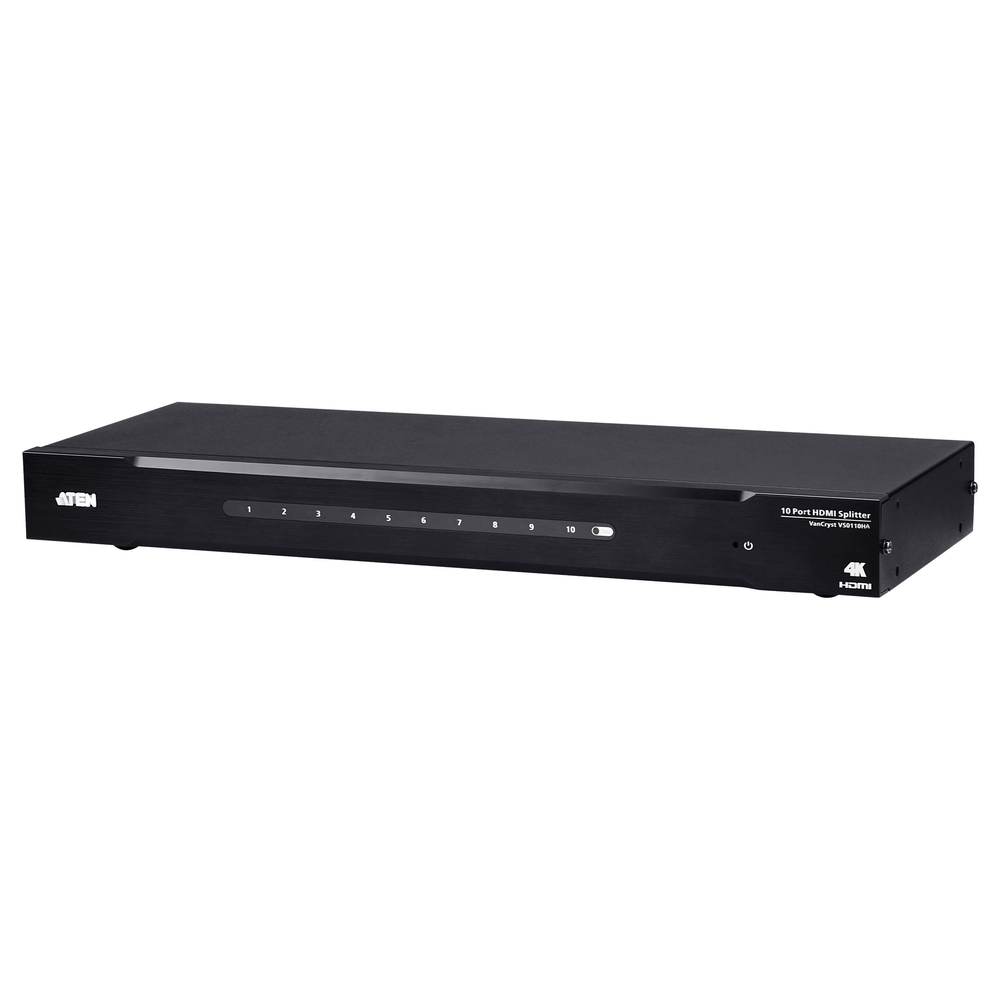
The VS0110HA is the higher-capacity option for a larger display group. ATEN documents one HDMI input and ten HDMI outputs, along with EDID selection and an RS-232 control interface. Its detailed timing includes 4K at 30 Hz with 4:4:4 sampling and 4K at 60 Hz with 4:2:0 sampling. Those formats are different, so specify the required one explicitly.
Ten outputs can suit a shared information installation with many nearby screens. However, this is still one-source distribution. It does not provide ten independently selectable programmes. Also review the manufacturer’s cable-distance limits at the chosen resolution. A high output count does not imply long-distance delivery, and a separate extension plan may be necessary for distant displays.
The EDID options help define which display capabilities the source should use. Nevertheless, the installer must choose settings that suit the connected screens. Where external control is required, check the controller interface and command support before purchase. For a simple standalone installation, the key benefit may instead be a single distribution point that is easier to label and troubleshoot.
Check video splitter resolution, EDID and audio
Resolution is only part of a video specification. Refresh rate, colour sampling and content protection also affect compatibility. Fine desktop text may have different requirements from ordinary video playback. Therefore, test the exact computer output mode and content type. A successful low-resolution picture does not prove that the intended high-resolution signal will remain stable across the installed cables.
EDID is information that tells the source what a display can accept. With several displays, the selected EDID behaviour matters. Check the model’s available settings rather than assuming all splitters handle mixed screens identically. Also confirm where sound should emerge. HDMI may carry audio, while a VGA installation normally needs a separate audio path. Plan that path as part of the system.
Install and test each display route
Start with a bench test using short known-good cables. Confirm the source and each display independently, then connect the complete splitter arrangement. Next, test the installed routes at the intended timing. Check picture stability, sound and restart behaviour. Finally, run the content for a realistic period so that intermittent problems become visible before the room enters daily use.
Keep within the specified cable lengths and environmental limits. Avoid unnecessary adapters and damaged leads. Label the input, every output and the associated screen location. In addition, keep the power connection accessible and allow ventilation around the equipment. These small decisions reduce support time when a screen later loses power or someone changes the source computer.
For the larger model, consult ATEN’s official VS0110HA installation guide. It shows the connection layout and EDID selection controls. Follow the documentation for the exact model supplied, because controls and supported layouts can differ across the category. Keep a copy of the final working settings with the installation record.
Avoid common video splitter purchasing mistakes
One common mistake is confusing a splitter with a switch. Another is expecting independent desktop screens from duplicated outputs. Also avoid treating every 4K label as the same timing capability. Check the detailed specification first. Finally, do not assume that a Cat cable splitter includes every required remote receiver. Confirm the complete package when considering other distribution models in this category.
Maintain the system and plan a useful upgrade
Record the model, cable routes, source mode and display input settings. If a fault develops, check power and input selection before replacing equipment. Then test with a known-good short cable and isolate one display route at a time. This orderly approach prevents unnecessary purchases and makes it easier to identify a loose connector or an incompatible new source setting.
Comparing Video Splitter prices in Sri Lanka becomes easier once the required interface, output count and timing are clear. Choose the two-output model for a simple pair, the four-output option for a modest display group, or the ten-output alternative for a larger shared source installation. Confirm the current specifications and supplied accessories, then test the complete system before final handover.

