
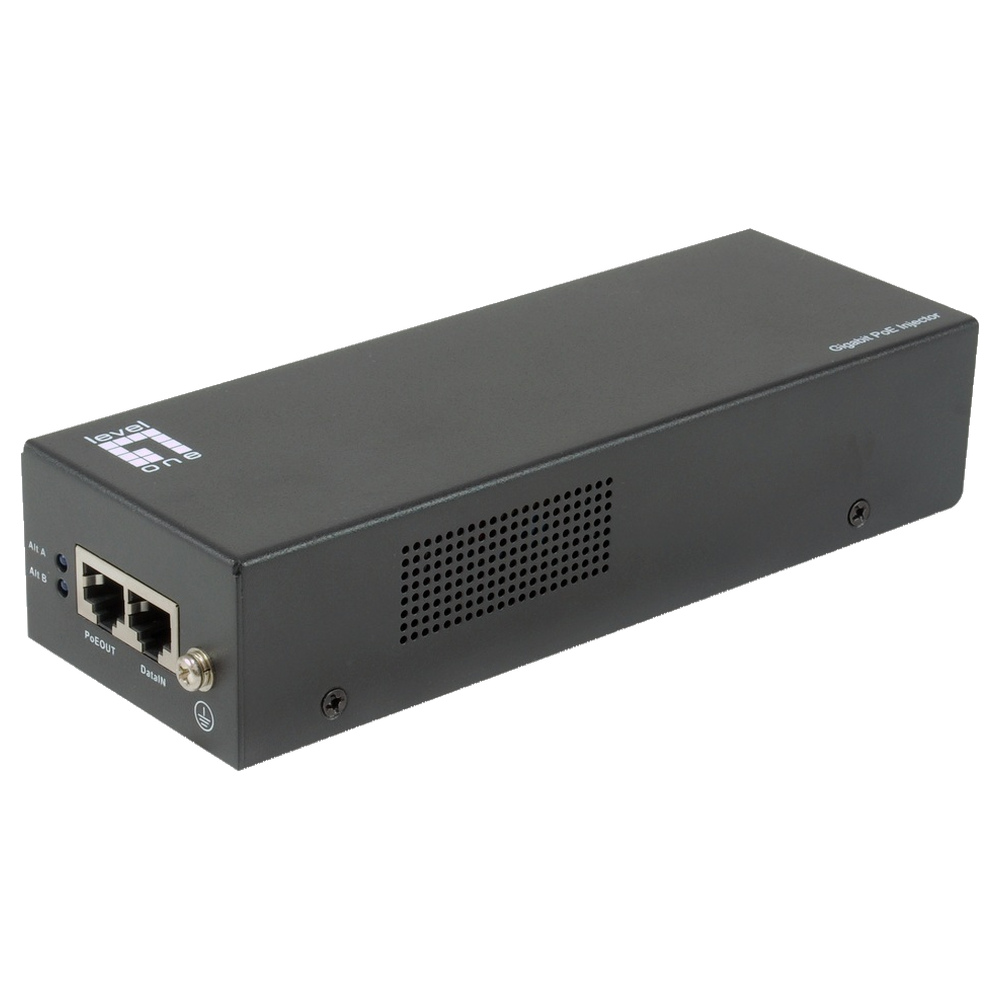
Comparing PoE Equipment prices in Sri Lanka begins with the device you need to power and the role of the accessory. An injector adds supported power to an Ethernet link. A splitter separates a compatible powered link into data and a DC output. Meanwhile, a repeater extends a supported arrangement. These products solve different problems, so identify the required role before comparing model names.
This guide compares a common PoE+ injector, a high-power splitter and a higher-power injector from the current category. First, record the device’s PoE standard or DC requirement. Then check the network speed, cable route and available power. Finally, verify the complete connection diagram and supplied accessories. Confirm current availability and warranty in the listing before ordering.
PoE Equipment prices in Sri Lanka: match standards and power
Start with the powered device’s specification. IEEE 802.3af, 802.3at and 802.3bt describe different PoE arrangements and power capabilities. Passive power products may operate differently, so a matching RJ45 plug is insufficient. Confirm the exact standard and power requirement at both ends. Do not connect an unknown passive supply to a device that expects negotiated standards-based PoE.
Also distinguish the power-source rating from the power available to the device after cable losses and other components. A repeater consumes some power, and additional links affect the remaining budget. Therefore, check the manufacturer’s supported layout and usable downstream power. Plan for the device’s actual peak requirement, rather than relying only on a low typical-consumption figure.
Tp Link Poe+ Injector -Tlpoe160s (2Y)

The TL-POE160S is the PoE+ injector option in this comparison. TP-Link’s documentation identifies support for IEEE 802.3af and 802.3at, with a maximum power supply rating of 30 W. It also provides a Gigabit data connection. This is relevant when a compatible device needs PoE power but the existing network connection does not supply it.
A common use is powering a suitable access point or IP phone from an existing non-PoE switch. First, verify the endpoint’s standard and power demand. Then connect the data input and powered output according to the manual. Keep the injector’s mains supply accessible. A simple injector arrangement can be practical when only a small number of suitable devices need power.
However, do not assume that every device labelled PoE fits within this injector’s capability. Some equipment needs a higher-power standard or a different arrangement. Also check network speed and cable condition. Finally, confirm the current package and region-specific mains accessories. The useful choice is the one that matches the endpoint and route, rather than merely carrying a PoE+ label.
Level One (Germany) Gigabit 60W PoE Splitter with 12V/24V Output – POS-5000 (3Y)
The POS-5000 is a splitter, so its purpose differs from an injector. LevelOne documents an IEEE 802.3bt input arrangement, Gigabit data and selectable 12 V or 24 V DC output, with up to 60 W output under supported conditions. It is relevant when compatible PoE infrastructure must feed a suitable device that takes separate data and DC power.
Before choosing it, verify the endpoint’s voltage, current, connector and polarity. These details are essential even when the available power rating looks sufficient. Set the output according to the device specification and the splitter instructions before connecting the endpoint. Do not treat a selectable DC output as a universal replacement for any original power supply.
Also check the upstream PoE source. A low-power injector cannot automatically deliver the splitter’s headline output capability. The source, cable route and splitter must form a supported arrangement together. In addition, confirm the supplied DC lead and output connector. Test the actual device under realistic load before installing the splitter in a location that is difficult to reach.
Level One (Germany) Single-Port Gigabit 90W PoE Injector – POI-5003 (3Y)
The POI-5003 is the higher-power injector in this comparison. LevelOne documents a single Gigabit powered connection supporting IEEE 802.3af, 802.3at and 802.3bt, with a 90 W source power budget. It deserves consideration for a compatible endpoint that requires a higher-power arrangement. However, that source rating does not mean every endpoint receives or requires the same amount of power.
For example, a supported high-power access point, display or other network device may need an injector beyond ordinary PoE+ capability. Confirm the endpoint’s exact requirements first. Then check the complete cable arrangement and the manufacturer’s usable power conditions. Avoid selecting a larger injector as a substitute for verifying standards, because incompatible power arrangements still need resolution.
Plan the mains connection, mounting and ventilation carefully. Also label the powered output so that technicians can identify the installed arrangement later. Test startup and sustained operation with the intended device, including its demanding operating mode. A higher-power injector is useful when it meets a documented need and the complete connection remains within the supported specifications.
Check PoE equipment speed and cable requirements
The category includes both Fast Ethernet and Gigabit accessories, so read the data-speed specification separately from power. An accessory can become a speed limit even when it supplies adequate power. Check the endpoint, source network and every intermediate component together. This is especially relevant when an access point’s wired connection needs more capacity than an older accessory provides.
Use suitable cable and sound terminations for the documented link. Inspect existing runs rather than assuming their labels prove their condition. Also account for couplers, patch leads and repeaters. A supported distance applies to a defined arrangement, not an unlimited chain of accessories. Where extension is required, verify the complete topology and remaining power budget before buying individual pieces.
Install and test the powered link
Begin with a bench test using the actual endpoint and a known-good cable. Check data connectivity and power stability before mounting the accessory. Next, repeat the test over the installed route. Exercise the device’s normal demanding mode and check restart behaviour. Finally, label the data and powered connections so that future support work follows the original installation plan.
For the common injector arrangement, consult TP-Link’s official PoE injector installation guide as the model-specific reference. It distinguishes the data input, powered output and supported models. Apply the instructions for the exact hardware supplied. Also keep the output setting and compatible endpoint model in the installation record when using a splitter, because those details matter during replacement.
Avoid common PoE equipment purchasing mistakes
One mistake is confusing an injector with a splitter. Another is treating all PoE labels as the same standard. Also avoid ignoring DC polarity and connector size on splitter outputs. Finally, do not assume every repeater preserves the full upstream power budget. Check supported speed, distance and downstream power together, then test the actual endpoint before final installation.
Maintain the link and plan sensible expansion
Keep accessible connectors, power leads and ventilation in good condition. Record accessory models, output settings and cable routes. If a device restarts or loses its link, check power demand and cable condition before replacing network equipment. Test with a known-good supported arrangement, then isolate one component at a time. This makes intermittent power problems easier to distinguish from data faults.
Comparing PoE Equipment prices in Sri Lanka becomes easier once the endpoint and accessory role are clear. Choose the PoE+ injector for a supported ordinary powered link, the splitter for a verified separate DC requirement, or the higher-power injector for a suitable demanding endpoint. Confirm current accessories and warranty, and test the complete connection under realistic load before handover.
Complete your network installation
Network Patch Cords · SFP and SFP+ Compatibility Guide · PoE Power Budget Guide · Structured Cabling Buying Guide
Check port interfaces and module compatibility before selecting uplink accessories.

