
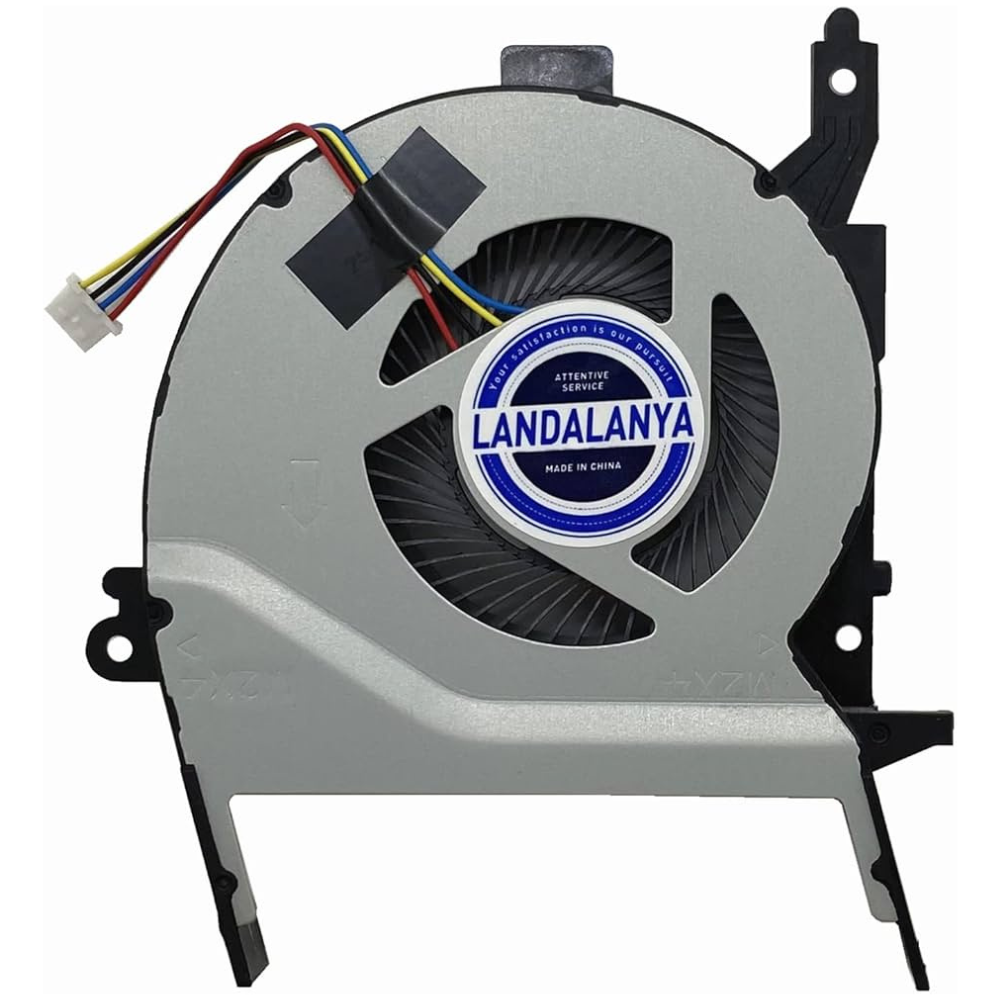
Laptop cooling support · Richcom Technology
Get cooling support for your Asus laptop
If your laptop's fan has become noisy or stopped behaving normally, request a cooling assessment. Tell us about heat, warning messages and any recent cleaning or repairs so the request reflects the actual fault.
Request an AppointmentYour preferred visit time needs confirmation.
- Tell us about the fault
Share the model and symptoms in the form below.
- Confirm your appointment
Submit a preferred date and time for confirmation.
- Approve the quoted work
Charges are quoted after assessment. Work needs your approval.
Efficient cooling is paramount for the longevity and performance of Asus laptops, with the Asus Laptop Cooling Fan serving as a critical component in this regard.
However, beyond its basic function of dissipating heat, the cooling fan’s intricacies and impact on overall system performance are often overlooked.
Understanding how the Asus Laptop Cooling Fan operates, the intricacies of its design, and the potential issues that may arise can provide valuable insights into maximizing its effectiveness and ensuring optimal laptop performance.
Importance of Asus Laptop Cooling Fan
Playing a pivotal role in maintaining optimal operating conditions, the Asus laptop cooling fan is a crucial component for preventing overheating and ensuring smooth performance.
By effectively dissipating heat generated by components such as the CPU and GPU, the cooling fan aids in maintaining a stable temperature within the laptop. This cooling solution is essential for preventing thermal throttling, which can negatively impact performance and longevity.
The fan works in conjunction with thermal paste, cooling systems, and heat sinks to regulate temperatures and enhance overall efficiency. Proper functioning of the Asus cooling fan not only safeguards the laptop from damage due to overheating but also contributes to a comfortable user experience by balancing heat dissipation with noise levels.
Functions of Asus Cooling Fan
The functions of the Asus cooling fan encompass maintaining optimal operating temperatures for laptops. These cooling fans ensure cooling efficiency by transferring heat away from thermally conductive components like the CPU inside the chassis.
Operating in an intelligent mode, they adjust fan speed to match the system’s thermal demands, preventing overheating and thermal damage. By expelling hot air through exhaust vents, Asus cooling fans make sure that the internal components stay at safe temperatures, contributing to stable performance even during demanding tasks.
Ultimately, the Asus cooling fan plays a crucial role in prolonging the lifespan of laptops and providing users with a comfortable and reliable computing experience.
Benefits of Using Asus Cooling Fan
By leveraging the efficient heat dissipation capabilities of ASUS cooling fans, users can experience enhanced laptop performance while maintaining optimal operating temperatures, thus highlighting the numerous benefits of utilizing these cooling solutions.
ASUS cooling fans play a crucial role in thermal management by preventing overheating, which can lead to potential performance issues. The fans contribute to efficient heat dissipation, reducing the risk of thermal throttling and ensuring prolonged laptop use.
Designed to balance cooling performance with noise levels, ASUS cooling fans offer a comfortable user experience. Users can enjoy high-performance computing without compromising on thermal management.
Additionally, these fans help lower temperatures on frequently touched areas of laptops, enhancing user comfort during extended usage.
Maintenance Tips for Asus Cooling Fan
Ensuring the longevity and optimal performance of your Asus cooling fan requires diligent maintenance practices. Regularly cleaning the cooling fan and vents is crucial to prevent dust buildup and maintain proper airflow.
Utilize ASUS software to adjust fan settings, balancing performance and noise levels according to your usage needs. Monitoring temperatures through the software can help detect any cooling issues promptly.
When cleaning the fan, use compressed air cans for gentle removal of dust to avoid damaging the components. If the cooling fan displays signs of wear or malfunctions, seek professional assistance to prevent potential overheating problems.
Troubleshooting Asus Cooling Fan Issues
To effectively address any malfunctions or inefficiencies with your Asus cooling fan, it is essential to troubleshoot potential issues systematically and efficiently. When facing cooling fan problems on your Asus laptop, consider the following steps:
- Update Software: Ensure BIOS, Windows packages, and drivers are up to date to resolve fan issues.
- Optimize Fan Mode: Use MyASUS to select the appropriate fan mode for balanced performance on your TUF Gaming or ASUS Zenbook Pro.
- Maintain Ventilation: Prevent blockages and maintain optimal fan operation by ensuring proper ventilation for devices like the Strix SCAR, with advanced thermal design for CPU and GPU cooling.
Conclusion
In conclusion, the Asus laptop cooling fan is a crucial component that plays a vital role in maintaining optimal operating temperatures for Asus laptops.
By dissipating heat generated by the laptop’s components, the cooling fan helps prevent overheating and ensures stable performance.
With efficient heat transfer and effective cooling solutions, the Asus cooling fan provides numerous benefits and contributes to the overall longevity and performance of the laptop.
Proper maintenance and troubleshooting of cooling fan issues are essential to ensure continued functionality.
Need help with fitting?
Asus Laptop Repair and Fitting Service
Request a diagnosis and confirm the fitting charge and compatibility before your visit.
Request an Appointment
Asus laptop cooling assessment and fan fitting
Repair charges will be quoted after assessment. Work begins after your approval. Your preferred visit needs confirmation.

