
Choosing the right Level One switch starts with your network, not a feature list. A small office, an industrial control cabinet and a large building need different port counts, speeds and management tools. Use this Level One switch buying guide to match those needs to Level One switches available in Sri Lanka, including desktop, industrial and high-capacity managed options. For current availability, browse Level One Switch prices in Sri Lanka in Richcom’s category. Prices change, so this guide focuses on choosing the right model and checking current listings.
What a network switch does
A network switch connects wired devices on the same local network. It can link computers, printers, servers, access points, IP cameras and other Ethernet equipment. Each device connects to a port, and the switch forwards traffic between devices as needed. A switch with more ports can simplify expansion, but the port count should match the equipment you expect to connect.
Switches also differ in speed and control. Fast Ethernet supports links up to 100 Mbps. Gigabit Ethernet supports links up to 1 Gbps, which suits faster internet plans, file transfers and modern office devices. Managed switches add controls such as VLANs, quality of service and monitoring. Unmanaged models keep setup simple for networks that do not need those controls.
Level One switch buying guide: what to check
Count ports and plan for growth
List the wired devices that need a connection today. Include computers, printers, wireless access points, cameras, recorders and uplinks to other switches. Then leave spare capacity for new equipment. A five-port desktop switch may suit a small desk, while a large office can need a 24-port or higher model. Remember that one port may be used to connect the switch to a router or another switch.
Choose Fast Ethernet or Gigabit
Check the speed of every device that will connect to the switch. Gigabit ports help reduce bottlenecks when users transfer large files or connect to network storage. Fast Ethernet can still serve dedicated equipment with lower bandwidth needs. Industrial environments may value ruggedness and temperature range more than desktop speeds, so consider both the port speed and the installation location.
Decide whether PoE is needed
Power over Ethernet sends data and electrical power over one cable. It can simplify installations for compatible access points, cameras and phones. Before buying a PoE switch, check the devices’ power standard and wattage. Compare the total PoE budget with the combined demand of attached devices. A high port count alone does not guarantee enough power for every connected device.
Choose management features for the network
An unmanaged switch is usually ready to use after cabling. A smart managed or fully managed model offers more control, but it also needs configuration and ongoing administration. Features such as VLANs can separate guest, office and camera traffic. Quality of service can prioritize selected traffic. Management options vary by model, so confirm the features you need in its specification before ordering.
Check installation and reliability needs
Desktop switches are made for desks or shelves. Rackmount devices suit network cabinets, while many industrial switches support DIN-rail or wall mounting. For industrial sites, check operating temperature, power input, surge protection, enclosure and mounting method. If power continuity matters, look for redundant power inputs. Leave enough room for cables and ventilation, and use suitable protection for the environment.
Level One switch buying guide: three models to compare
Level One (Germany) 5-Port Gigabit Ethernet Unmanaged Desktop Switch- GEU-0523 (3Y)
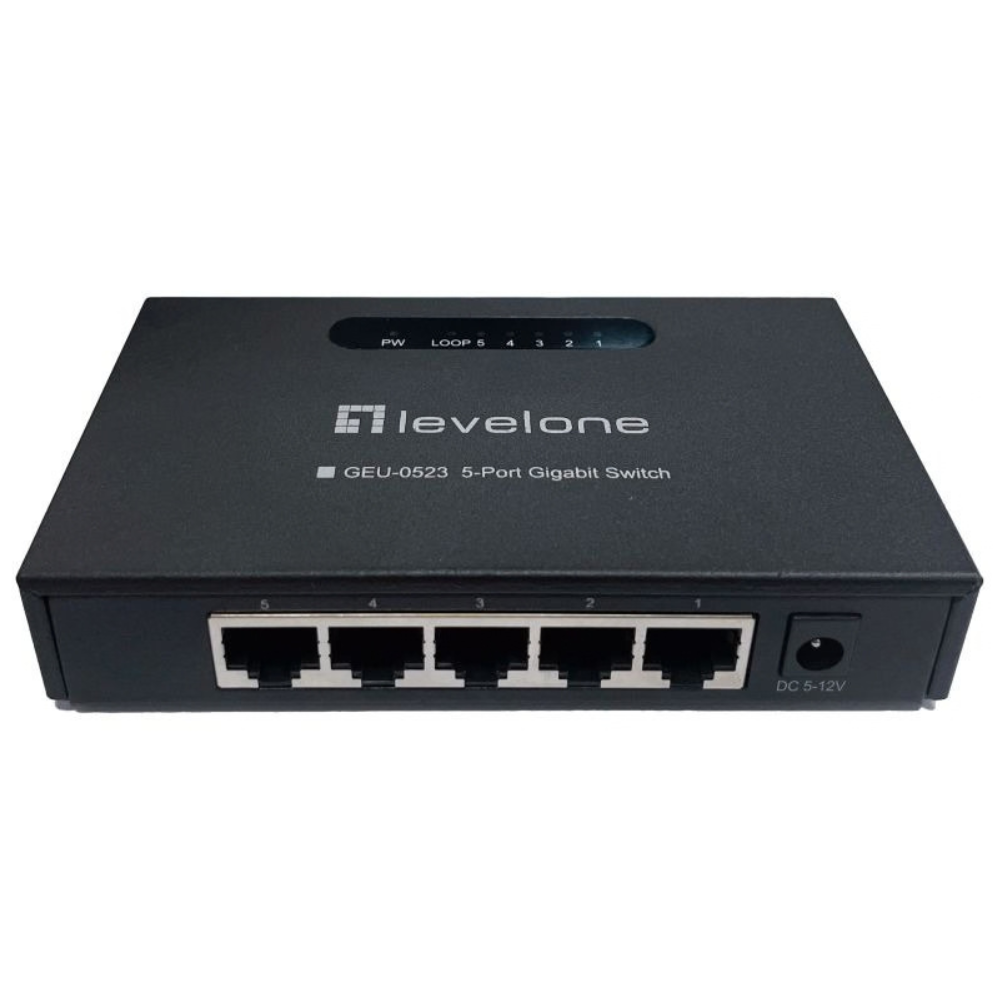
The GEU-0523 is the straightforward choice for a small office, home workstation or meeting room that needs a few extra wired ports. Its five Gigabit Ethernet ports provide more headroom than Fast Ethernet for devices that exchange larger files. As an unmanaged desktop switch, it suits buyers who want simple expansion without configuring network policies.
Before selecting a five-port model, count the ports that will be occupied by devices and any uplink. If several computers, a printer and an access point all need wired connections, a larger model may leave more useful spare capacity. This compact option is best when the network is small and its needs are clear.
Level One (Germany) Hilbert 8-Port Industrial Gigabit Smart Lite Managed Switch – IGS-2108 (3Y)
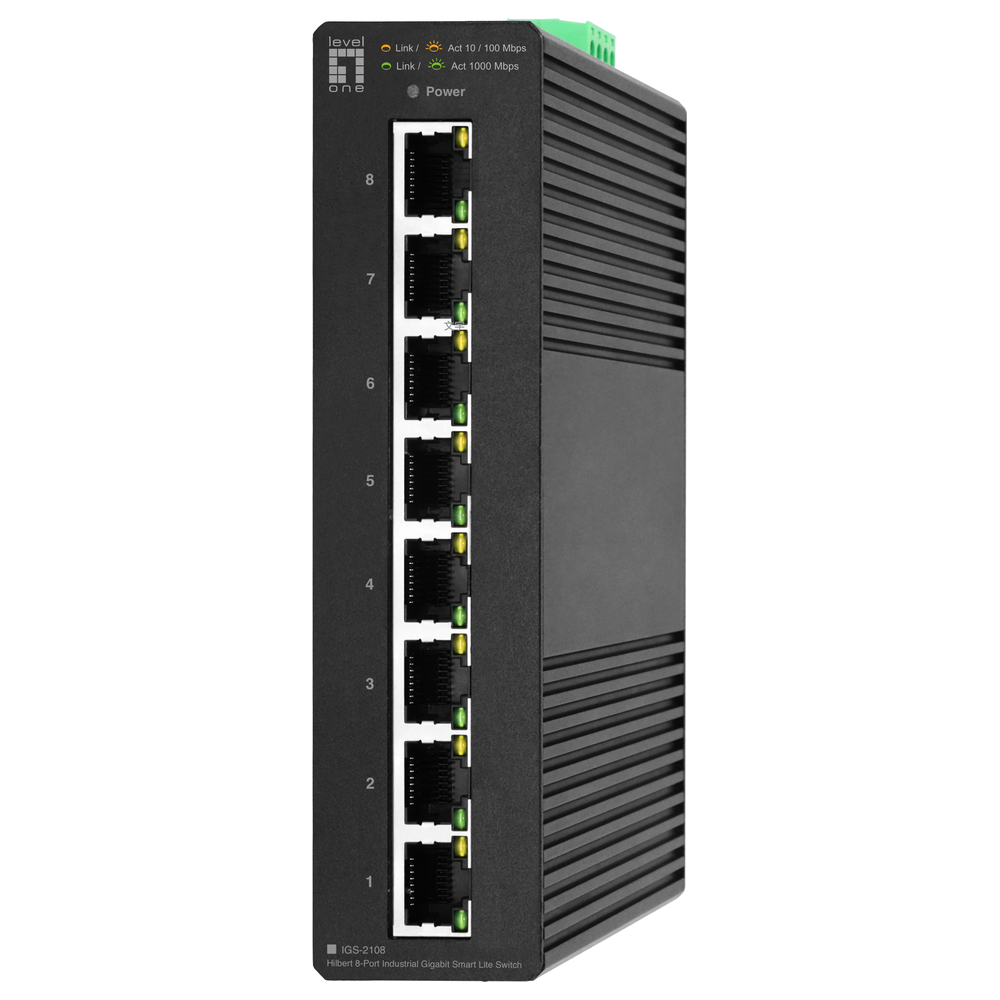
The IGS-2108 suits installations where a standard office switch may not be appropriate. Its industrial design and Gigabit ports make it a candidate for factory equipment, building systems or network cabinets at remote sites. Smart Lite management adds control beyond a basic plug-and-play switch. This can help an administrator organize traffic and monitor a network more closely.
Review the official datasheet and Richcom listing for the exact management features, mounting options and environmental limits required by your site. For a managed industrial model, also plan who will configure it and keep its settings documented. An industrial switch should be selected for its operating environment, not only its port count.
Level One (Germany) 52-Port Gigabit PoE L3 Lite Managed Switch with 4 10G SFP+ Uplinks – GTP-5271 (3Y)
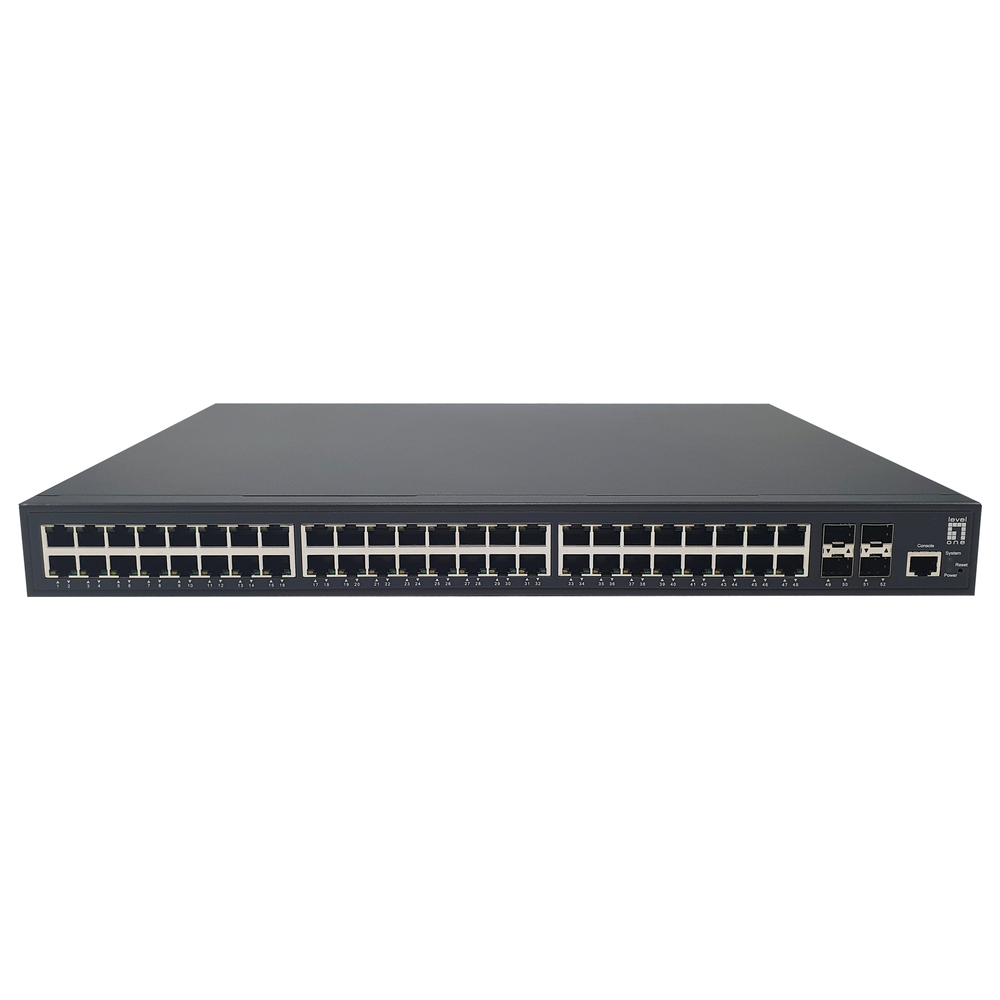
The GTP-5271 is the high-end option in this selection. Its 52 Gigabit ports provide room for a larger number of connected devices, and its four 10G SFP+ uplinks support high-speed connections to a core switch or server network. PoE can reduce the need for separate power adapters for compatible network equipment. L3 Lite management can support more structured networks than a simple desktop switch.
This class of switch is intended for planned deployments. Check total PoE capacity against the devices’ combined power draw, confirm compatible SFP+ modules and fiber or copper uplinks, and ensure the rack, ventilation and power supply meet installation requirements. A network administrator should also confirm that the required VLAN, routing and monitoring features are supported by the specific firmware and model.
Level One switch buying guide: checklist before ordering
Confirm the exact model number and warranty information on the product listing. Match port speed and quantity to your devices, and check whether the model is managed or unmanaged. When selecting a PoE model, verify both the supported standard and the total power budget. At industrial sites, compare temperature and power requirements with the installation location. With rackmount switches, check rack space, cable routing and power arrangements.
On managed models, decide who will configure the device and retain access to its management interface. Plan an IP address, administrator credentials, VLANs and any monitoring before installation. Keep a written record of port assignments. These small steps make later troubleshooting easier and help prevent devices from being connected to the wrong network segment.
Avoid common errors with this Level One switch buying guide
One common mistake is choosing a switch with exactly enough ports for the current equipment. A spare port or two can make future changes easier. Another is purchasing a PoE model without comparing its power budget with the cameras or access points attached to it. Also avoid paying for management features when nobody will configure them, or selecting an unmanaged switch when the network needs VLAN separation.
Do not assume every Gigabit switch has the same uplink options. Some models use standard RJ45 ports for all connections, while others provide SFP or SFP+ slots for fiber or high-speed links. Check the supported transceivers and cable types. Verify the physical dimensions too, especially for cabinets with limited depth or airflow.
Where to compare models in this Level One switch buying guide
Start by grouping your requirements into port count, speed, PoE, management and mounting. Then compare models that meet those needs and check their current availability. Richcom’s product listings can help you review the range without relying on old quoted prices. To verify manufacturer specifications, consult LevelOne’s official industrial switch range and the datasheet for the model you are considering.
Final recommendation
Choose the GEU-0523 for a compact Gigabit desktop expansion where simple operation matters. Consider the IGS-2108 when the installation needs an industrial switch and basic management features. For a large network with many connected devices, PoE endpoints and faster uplinks, assess the GTP-5271 against your capacity and administration requirements. This Level One switch buying guide points to a practical choice: match ports, speed, PoE and management to your site today, while leaving room for future growth.
Complete your network installation
Network Patch Cords · SFP and SFP+ Compatibility Guide · PoE Power Budget Guide · Structured Cabling Buying Guide
Check port interfaces and module compatibility before selecting uplink accessories.

