
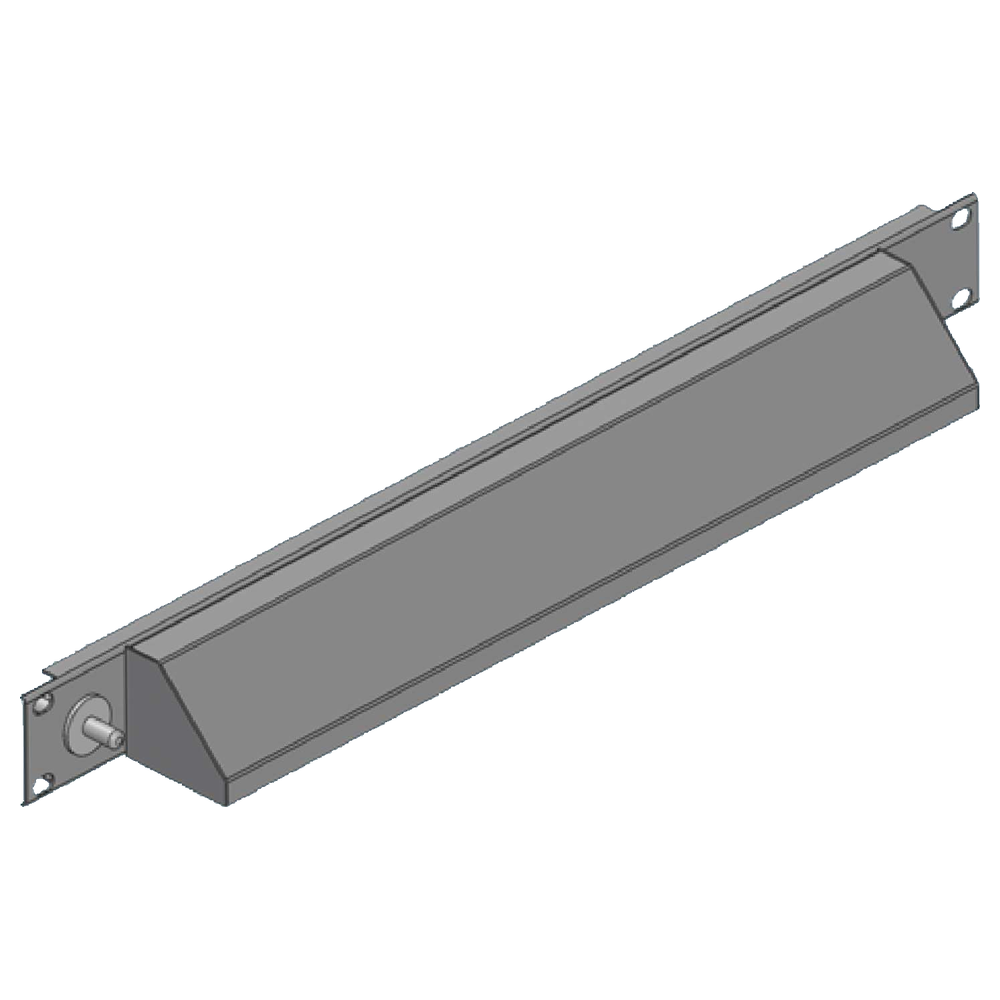
Server rack monitoring and lighting accessories help technicians see inside a cabinet and review selected environmental conditions. A rack light can improve visibility during service, while a thermometer plate provides a local temperature reading. These accessories support maintenance, but they do not replace building cooling controls, networked monitoring systems or scheduled inspections. This guide explains what to check when comparing server rack monitoring and lighting products in Sri Lanka.

Start by defining the operational need. A local thermometer answers a different question from a remote sensor system with alerts and historical data. A rack light makes inspection easier but does not improve cooling by itself. For recognised guidance on data-centre thermal environments, review the technical resources in the ASHRAE Datacom Series alongside the equipment manufacturers’ operating limits.
Choose the right type of rack monitoring
A local thermometer can provide a quick indication of temperature near the point where it is installed. Confirm the display range, accuracy, sensor position and visibility from the service aisle. The reading may not represent the hottest equipment inlet or the entire cabinet. Place sensors where they measure a useful condition and compare their readings with the equipment manufacturer’s limits.
Remote monitoring can add features such as multiple sensors, trend records and alerts, depending on the system. Before buying that type of solution, identify the network or management platform, alert recipient and response process. Confirm which sensors are supported, whether the device needs a separate controller and how it is powered. The two products in this category are a rack light and local LCD thermometer plate, so broader remote monitoring needs may require a separate compatible system.
Plan rack lighting for safe maintenance
Lighting inside a rack can make labels, cabling and service points easier to see. Check the intended rack width and rack-unit position, mounting method, power rating and connection style. Confirm that the light does not obstruct equipment, doors, cable routes or airflow. Review how the light will be switched and whether it stays on during maintenance or is controlled by another accessory.
Electrical details matter. Verify voltage, current, plug or terminal type, protective device and any required earthing with the product documentation. A product name that includes a voltage is not a complete wiring instruction. Use a qualified electrician for fixed wiring or work that requires electrical skills. Keep lighting cables secure and away from fan blades, sharp edges and service paths.
Compare two monitoring and lighting products
TIMIK (Canada) Rack Light for W600 Racks 19″x1U – 19A RL600230
The RL600230 is listed as a rack light for W600 racks in a 19-inch by 1U format, with a stated 230V configuration and 1.2 mm thickness. Confirm the exact cabinet compatibility, mounting points, light source, switch arrangement and supplied cable. Check that the light sits clear of equipment and does not obstruct ventilation. The product’s model description is a guide to fit, not a substitute for a drawing or installation confirmation.
TIMIK (Canada) Thermometer Plate with Digital LCD Thermometer 19″x1U – 19A TP
The 19A TP is listed as a 19-inch by 1U thermometer plate with a digital LCD thermometer and 1.2 mm thickness. Confirm the sensor location, measurement range and accuracy from the product documentation. Consider whether the display can be seen after the plate is installed and whether it measures air near equipment or only at the plate. Use additional sensors if one local reading cannot represent the rack’s thermal conditions.
Match the accessory to the rack and operating plan
Check cabinet width, available rack units, mounting holes, door clearance and the intended location. A plate may fit a nominal rack dimension while conflicting with adjacent equipment or cable management. Plan installation with the rack drawing and preserve access to service points. If the cabinet has a removable roof or side panels, make sure an accessory will not prevent those parts from opening.
For monitoring, decide what information will lead to an action. A reading with no reference limit or review process can be easy to ignore. Set clear thresholds from equipment documentation and determine who responds. If remote alerting is needed, confirm that the chosen system can report the required condition and that staff can maintain its network connection and credentials.
Rack monitoring and lighting checklist
- Define whether the need is visibility, local temperature or remote alerts.
- Confirm rack width, 1U position, mounting points and door clearance.
- Check the measurement range, accuracy and sensor location.
- Verify voltage, power connection and included mounting hardware.
- Route cables away from airflow, moving parts and sharp edges.
- Confirm who reviews readings and acts on alerts.
- Compare temperature readings with equipment operating limits.
- Document the installation and include the devices in maintenance checks.
Common mistakes to avoid
A single thermometer reading should not be treated as proof that every device is operating within its temperature limits. Warm spots can occur at different heights or near equipment exhaust. Measure where the design requires and use additional sensors when needed. Do not position a sensor where it only records room air instead of relevant inlet conditions.
Another mistake is adding lighting without checking power and placement. An accessory can block a fan, interfere with a service door or make cabling harder to reach. Confirm the product’s electrical details and mounting space before installation. Keep wires secured, and check they remain clear when equipment is moved.
Finally, monitoring only helps when someone responds. Assign responsibility for inspection and alerts. Test that a notification reaches the right person and that the temperature threshold reflects the equipment manufacturer’s guidance. Record the follow-up action when conditions change.
Frequently asked questions
Does a rack thermometer provide remote alerts?
Not by itself unless the exact product includes a communication feature. The 19A TP listing describes a digital LCD thermometer plate. Verify monitoring and alert functions separately.
Can a rack light be installed in any cabinet?
No. Check the intended rack width, mounting, clearance and electrical requirements. Confirm fit with the cabinet manufacturer or supplier.
Where should a temperature sensor be placed?
Use the location specified by the thermal design and equipment requirements. A reading should represent the relevant air condition, not merely a convenient mounting point.
Compare server rack monitoring and lighting products
Compare the current server rack monitoring and lighting products in Sri Lanka after confirming the rack dimensions, sensor needs and electrical arrangement. This category currently lists a rack light and a local thermometer plate. Confirm current specifications, availability and installation details with Richcom before ordering.
Complete your rack installation
Network and Server Racks · Rack Power Distribution Units · Rack Shelves and Equipment Supports · Rack Cable Management · Rackmount Online UPS Systems
Check cabinet depth, mounting, equipment load and electrical connections for each component.

