
UPS battery support · Richcom Technology
Plan battery service for your UPS
Whether you are reviewing backup time or planning battery work, start with the exact UPS model and the load it supports. Tell us your required runtime and any battery warnings. The proposed configuration needs to match the system and its charging requirements.
Request an AppointmentYour preferred visit time needs confirmation.
- Tell us about the fault
Share the model and symptoms in the form below.
- Confirm your appointment
Submit a preferred date and time for confirmation.
- Approve the quoted work
Charges are quoted after assessment. Work needs your approval.
This UPS buying guide helps buyers in Sri Lanka plan reliable backup for their equipment. Use it for a single workstation, office network or CCTV system.
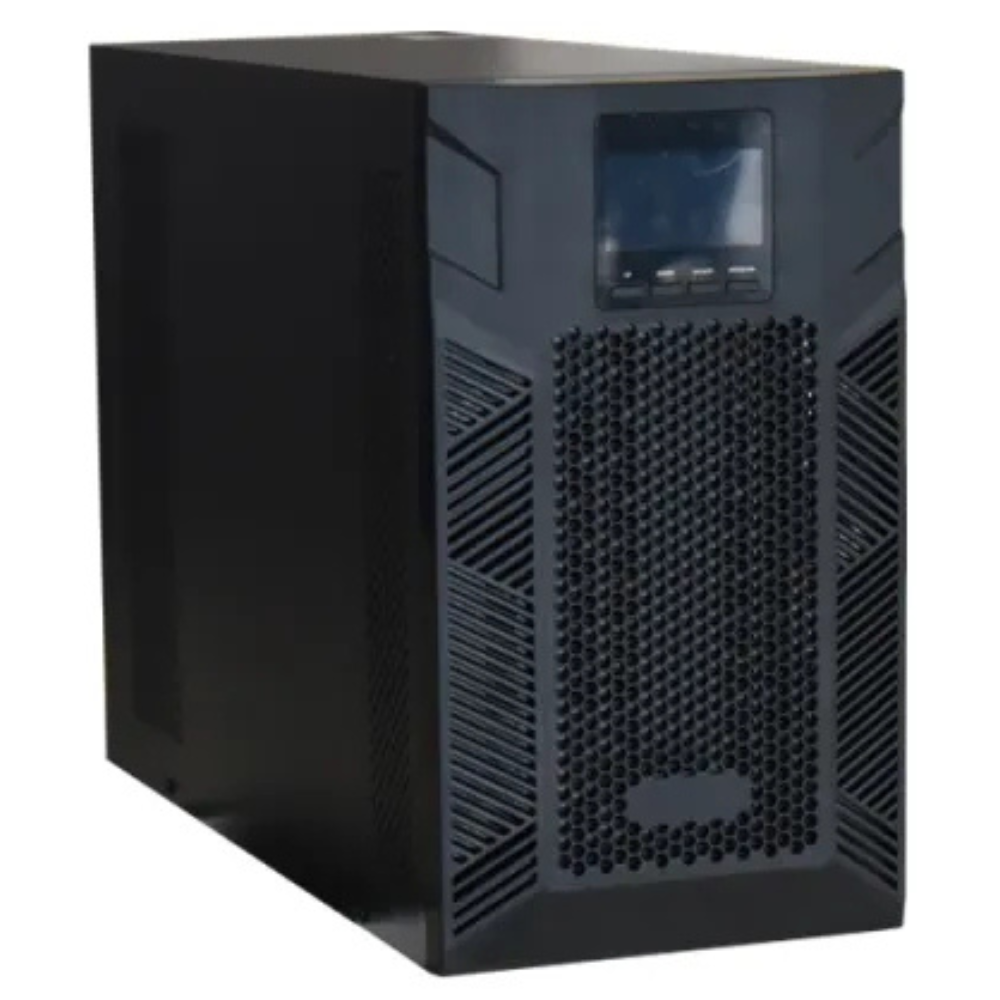
Start with a list of essential equipment, then work through UPS type, output capacity, battery runtime and installation requirements. Use the focused guides below to prepare a clear enquiry for Richcom Technology.
UPS buying guide: choose the technology
Compare operating modes and compatibility in Online vs. Line-Interactive UPS. Ask for the exact model and battery-mode output specifications.
2. Work out the load
UPS Sizing: VA, Watts and Power Factor explains how to prepare a load schedule and allow for growth. Include every device you expect the UPS to support.
3. Specify the backup time
Use UPS Battery Backup Time to distinguish an energy calculation from a verified runtime proposal. State the required minutes at a stated equipment load.
4. Plan for battery replacement
UPS Battery Replacement and Compatibility explains what information to collect before requesting replacement batteries. Match the proposal to the UPS model.
5. Plan the complete system
UPS Planning for Offices, CCTV and Networks helps you identify dependencies, installation details and the checks to agree before handover.
Existing Richcom guides
Rackmount UPS systems — explore the existing article for rack-based applications.
Choosing a UPS for your PC — read the existing computer-focused guide.
UPS battery overview — review the existing battery article. Confirm specifications, availability and warranty terms for the product being quoted.
Prepare your UPS enquiry
Use this UPS buying guide to prepare your enquiry. Send equipment models and quantities, power figures, required backup time and expected additions. Include the installation location and rack dimensions where relevant. Also describe any existing generator or battery arrangement.
Ask the quotation to identify the exact UPS and battery configuration, stated-load runtime, included accessories, installation scope and separate UPS and battery warranty terms. Compare proposals against the same requirements.
Request a UPS quotation from Richcom Technology.
Plan your rack and power distribution
Use the Server Rack and PDU Buying Guide in Sri Lanka to check cabinet fit, mounting, power connections, PDU features and redundancy.
UPS buying guide: define the outage goal
First, decide what a successful backup event looks like for your business. A workstation may need enough time to save files and shut down. In contrast, a recorder may need to keep capturing video throughout the outage. Write those goals separately because they lead to different runtime requirements. Also name the person who will respond to an alarm, especially if the site closes overnight.
Next, trace each service to the equipment it needs. For example, a computer may remain powered while its network switch or shared storage shuts down. The user would then lose access to files despite having a working screen. Therefore, include the supporting network and storage devices in the planning discussion. For remote access, ask which parts of the service depend on equipment outside your premises.
Finally, record whether the plan assumes a generator, manual intervention or an automatic shutdown sequence. Ask the supplier to check the proposed UPS against that operating scenario. Keep assumptions in the quotation so everyone evaluates the same requirement. A short written brief is easier to review than a request for the largest available VA rating.
UPS buying guide: compare the complete installation
Begin with the equipment schedule and mark which loads are essential. Then record measured demand or the source of each specification. Keep uncertain figures visible for the supplier to review. For example, a device label and its typical operating draw may describe different things. Ask which value the proposal uses and why it suits the intended operating conditions.
Next, compare the UPS watt limit, VA limit and stated-load runtime as separate checks. Also confirm whether the offered price includes the batteries needed for that runtime. Ask for the exact battery configuration, connecting accessories and installation scope. This prevents a battery-ready unit from being compared with a complete backup system as if both quotations covered the same equipment.
Physical fit also matters. Measure the proposed location and check access for installation and later service. For a rack unit, review mounting hardware, usable depth and weight support with the installer. Likewise, identify the input connection and required output outlets before placing the order. Have the supplier explain any additional electrical work or accessories that the installation needs.
UPS buying guide: agree handover and upkeep
Before installation, agree who will check the completed system and record the results. Ask for the installed models, connected load list, configuration details and the basis for the runtime claim. Also document any shutdown software and the equipment it controls. Keep those records where the people maintaining the system can find them.
After a change to the connected equipment, review the load and backup-time assumptions again. For example, an additional switch or storage device can change the original requirement. Do not treat unused sockets as proof of spare capacity. Instead, check the revised total against the proposed equipment limits and the backup duration you still need.
Finally, include battery service in the ownership plan. Record installation dates, warranty terms and the contact for replacement enquiries. If an alarm appears or runtime changes, provide the exact model and symptoms when requesting an assessment. The Eaton guide to UPS topology explains operating modes; the model manual remains the source for product-specific behaviour.
Also ask who will provide support after installation and what information they need when you report a fault. Store the model labels and acceptance records with that contact information.
Plan your UPS and Original batteries
UPS Systems · Original UPS Batteries
Match batteries to the exact UPS model, DC voltage, dimensions and supported configuration.
Request an Appointment
UPS battery and backup assessment
Repair charges will be quoted after assessment. Work begins after your approval. Your preferred visit needs confirmation.