This Cisco switch buying guide explains how to select business network equipment for offices, retail sites, schools, surveillance and server rooms. Compare port count, PoE requirements, management features and uplink capacity before choosing. For the current range, see Cisco network switch prices in Sri Lanka; availability and model details can change, so confirm the exact SKU and warranty with Richcom before ordering.
Cisco switch buying guide: Start with the devices and network layout
Count computers, printers, cameras, wireless access points, VoIP phones, servers and links to other switches. Decide which devices need wired connectivity and how many spare ports you want for future additions. A network with one small office floor has different needs from a multi-floor business with camera recording, guest Wi-Fi and several network cabinets. Map where devices are located so that cable lengths, rack space and uplinks are part of the decision from the beginning.
Use this Cisco switch buying guide to identify the speed required by each endpoint. Gigabit Ethernet is suitable for many computers and office devices, while servers, storage and busy uplinks may need faster connections. Consider how traffic will travel from access switches toward the core. Four SFP uplinks give different expansion options from two combo ports, so count available fiber runs and verify transceiver compatibility.
Cisco switch buying guide: choose the right PoE budget
Power over Ethernet (PoE) carries data and electrical power over one Ethernet cable. It can simplify installation for cameras, wireless access points and phones where a nearby power outlet is inconvenient. Check the PoE standard for each endpoint, then add together the maximum power draw of devices likely to operate at the same time. A switch’s shared budget is the total supply available across its PoE ports; it is not the wattage available on every port.
Also determine whether all access ports must support PoE. Some installations need power on only a subset of ports. A partial-PoE model can fit that design, while a full-PoE model offers more powered ports and a larger system budget. Leave headroom for future devices and do not assume that a higher port count automatically means sufficient PoE capacity.
Understand unmanaged, smart-managed and fully managed switches
An unmanaged switch offers simple plug-and-play connectivity. It is a fit when the network is small and no VLANs, configuration changes or central monitoring are needed. A smart-managed switch adds practical controls for a growing business, such as VLAN configuration, quality of service (QoS), link aggregation and traffic visibility. A fully managed device provides deeper configuration and security controls, including command-line access, access-control lists and more advanced routing or redundancy options, depending on the model.
Match those functions to the skills of the team that will operate the switch. Management controls help only when someone can configure, document and maintain them. For example, VLANs can separate guest access, staff, cameras and servers, but they must be designed consistently across the network. If your network needs Layer 3 routing, confirm which routes and protocols the product supports before you buy.
Cisco switch buying guide: three business models to compare
Cisco (USA) 24-Port Gigabit Full PoE 370W Managed Switch with 4×1G SFP-CBS350-24FP-4G-EU (1Y)
This fully managed CBS350 model is the high-capacity option in this comparison. It provides 24 Gigabit PoE+ ports, four dedicated 1G SFP uplinks and a shared 370 W PoE budget. Richcom’s product information lists 56 Gbps switching capacity, Layer 2 and Layer 3 functions, VLAN support, QoS and ACL security. That combination makes it worth considering for an office or surveillance installation that needs to power many devices and wants room for more detailed network control.
Before selecting it, estimate the combined wattage of cameras, phones or access points and confirm the total stays within the shared power budget. Review the uplink plan too: the four SFP interfaces may suit fiber connections between cabinets or to a core switch, but compatible optics and fiber cabling must be considered. A managed feature set also means configuration and ongoing administration should be included in the project plan.
Cisco (USA) 24-Port Gigabit PoE Smart Managed Switch with 4×1G SFP-CBS250-24P-4G-EU (1Y)
The CBS250-24P-4G is a smart-managed choice for sites that need PoE and practical configuration without requiring every enterprise management feature. It offers 24 Gigabit PoE+ ports, four 1G SFP uplinks and a shared 195 W PoE budget. Its listed switching capacity is 56 Gbps. The product specification also describes VLANs, QoS, static IPv4 routes and web, command-line and SNMP management options.
This model may suit a growing small or medium business that wants to separate cameras, wireless access points and staff devices while keeping the administration manageable. Check whether the 195 W budget covers the connected endpoints with adequate spare capacity. Its fanless design can be useful where acoustic noise is a concern, although the installation still needs suitable ventilation and rack access.
Cisco (USA) 24-Port Gigabit Partial PoE Unmanaged Switch with 2×1G SFP-CBS110-24PP-EU (1Y)
The CBS110-24PP is an unmanaged option for straightforward networks where simple operation matters. It provides 24 Gigabit connectivity, with 12 PoE ports and a shared 100 W PoE budget. The two 1G SFP combo interfaces share their connection with corresponding RJ45 ports, so confirm the active port arrangement before planning connections. Richcom lists a 48 Gbps switching capacity and a fanless design that can be mounted on a desk, wall or rack.
Consider this switch when only some of the devices need PoE and the network does not require VLAN management. Its plug-and-play design reduces configuration work, but it cannot replace a managed switch when you need segmentation or deeper controls. Check the number of powered ports, total endpoint draw and uplink choices against the final network diagram.
Cisco switch buying guide: plan uplinks, fiber and installation
For each SFP or SFP+ connection, confirm the module speed, fiber type, wavelength, connector and required distance. The transceiver at each end must match the link and the connected equipment. Confirm whether modules and patch leads are supplied or need to be purchased separately. For copper connections, use the specified cable category and observe Ethernet distance limits. Label both ends of each cable and record the switch port assigned to every device.
Check rack depth, mounting hardware, power availability, airflow and UPS capacity. PoE loads add to the switch’s own power demand, so include both when planning backup runtime and circuit capacity. Keep ventilation space around the unit and avoid tightly bundling cables across fan openings. Before handover, test wired connectivity, PoE operation, uplink status and any configured VLAN or access policy.
Common buying mistakes to avoid
- Choosing a PoE switch by the number of PoE ports without calculating the shared wattage budget.
- Assuming every SFP slot includes a transceiver or that any module will work with every switch.
- Buying an unmanaged model when the network requires VLANs, monitoring or controlled access.
- Paying for management features without planning who will configure and maintain them.
- Leaving no spare ports, uplinks or PoE capacity for new devices.
- Ignoring rack clearance, cooling, UPS sizing and cable routing until installation day.
What to confirm before ordering in Sri Lanka
This Cisco switch buying guide also recommends confirming the complete model code and regional suffix, warranty term, stock status, included accessories and supported power input. Product listings can be updated as product availability changes. Ask the network installer to check interoperability with your router, firewall, access points and existing switching platform. Keep the final port and VLAN plan with the site documentation so another administrator can support the network later.
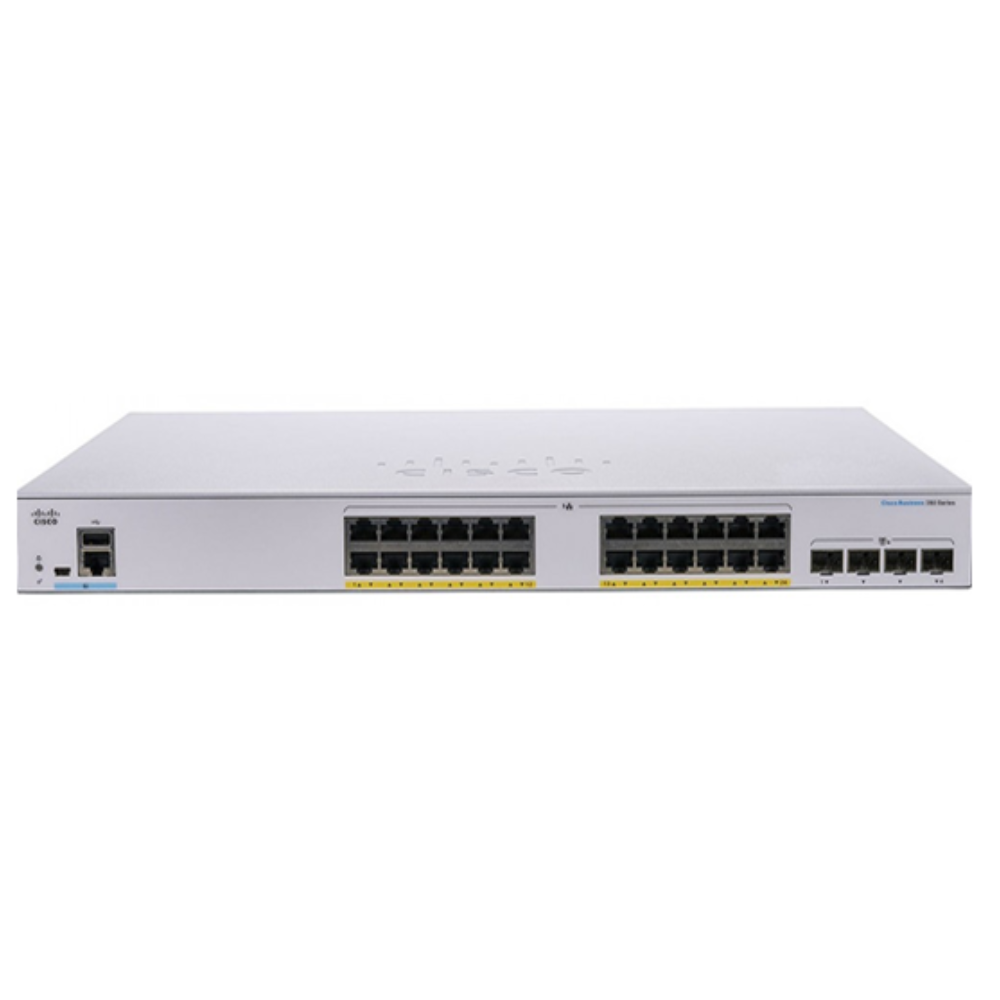
For further product details, review Cisco’s official Business 350 Series switch documentation. Use the manufacturer’s current documents to confirm feature and compatibility requirements for the exact SKU.
Frequently asked questions
Do I need a fully managed Cisco switch?
Choose a fully managed model when you need detailed controls, monitoring, access policies or advanced routing. Smart-managed equipment can suit a smaller network that still needs VLANs and QoS. An unmanaged switch is sufficient when simple connectivity is all that is required.
How much PoE power should I plan for?
Add the maximum input draw for each powered device and compare the total with the switch’s shared budget. Leave headroom for simultaneous load and expansion. Check the PoE standard and per-port limits as well as the total wattage.
Are SFP uplinks ready to use?
Usually, an SFP port needs a compatible transceiver and fiber patch lead, unless the product listing explicitly includes them. Match both ends for speed, optic type, fiber mode, wavelength and distance before installation.
Cisco switch buying guide: which model is the best fit?
The CBS350 offers the strongest management and PoE capacity in this comparison. The CBS250 balances smart management and PoE for a growing business. The CBS110-24PP suits basic networks that need only partial PoE and plug-and-play operation. Choose according to your actual device load and network design.