
Comparing Planet Switch prices in Sri Lanka starts with the network layout and installation environment. The current category includes industrial switches with different copper ports, fibre options, power arrangements and management functions. Therefore, a switch that suits one cabinet may be unsuitable for another. First, identify connected devices and uplink needs. Then compare mounting, power and supported network features before making a shortlist.
This guide compares three PLANET models for different requirements: straightforward Gigabit connectivity, a PoE+ arrangement with SFP uplinks, and a managed wall-mount installation. It does not rely on changing price figures. Instead, define the tasks the switch must perform and check the exact hardware version supplied. Confirm current availability, warranty and included accessories in the product listing.
Planet Switch prices in Sri Lanka: define ports and uplinks
Count device connections and uplinks separately. An SFP slot is not an extra copper Ethernet socket, and a transceiver may need separate selection. Also allow sensible room for planned growth. Write down each required port speed and the expected traffic path. This helps prevent a layout where several busy devices share an uplink that cannot support their combined workload.
Next, identify the installation environment. Industrial housings and mounting options do not make every model suitable for every exposed location. Check temperature, humidity and enclosure requirements for the exact switch. In addition, verify the DC power arrangement and supplied accessories. A suitable switch still needs a compatible power source and an installation that remains within its documented conditions.
PLANET (Taiwan) 8-Port Industrial Unmanaged Gigabit Ethernet Switch – IGS-801T (3Y)
The IGS-801T is the straightforward unmanaged Gigabit option in this comparison. PLANET documents eight auto-negotiating copper Ethernet ports and an industrial metal enclosure. It is relevant when the layout needs those connections without the configuration features of a managed switch. However, unmanaged operation does not provide every traffic-separation or monitoring function that a more complex network may require.
For example, a small cabinet may connect several compatible Ethernet devices to an existing network uplink. In that situation, a simple switch can reduce configuration work. Nevertheless, account for the uplink in the available port count and check the connected devices’ speed requirements. Also confirm that the wider network already provides any required addressing, routing and access control.
Check mounting and power details before installation. PLANET identifies DIN-rail and wall-mount options for this model, but the actual cabinet and supplied hardware still need verification. Keep connectors accessible and leave the required clearance. Finally, confirm whether the proposed application needs powered Ethernet ports. Do not assume PoE capability simply because other products in the category provide it.
PLANET (Taiwan) 6-Port Industrial Gigabit PoE+ Switch with 2.5G SFP Uplinks – IGS-624HPT (3Y)
The IGS-624HPT is the PoE+ and fibre-uplink option here. PLANET’s documented version provides four Gigabit copper PoE+ ports and two SFP uplink interfaces with supported speeds including 2.5G. The six-port total therefore does not mean six copper powered ports. Confirm the hardware version supplied and apply its specific data sheet when planning the installation.
This arrangement can suit a cabinet serving compatible powered network devices with a fibre uplink requirement. First, verify each device’s PoE standard and power demand. Then check the switch’s available total budget under the intended input-power conditions. Also leave suitable headroom. A port’s advertised maximum and the system’s total available power are different constraints that both affect the design.
The SFP interfaces need compatible transceivers and a matching link at the other end. Check speed, fibre type, wavelength and distance together. Also confirm connector and patch-lead requirements. A 2.5G-capable slot does not guarantee that any module or remote switch will establish that speed. Specify the complete uplink rather than choosing the switch and optics independently.
PLANET (Taiwan) 10-Port Industrial Managed Gigabit Wall Mount Switch – WGS-4215-8T2S (3Y)
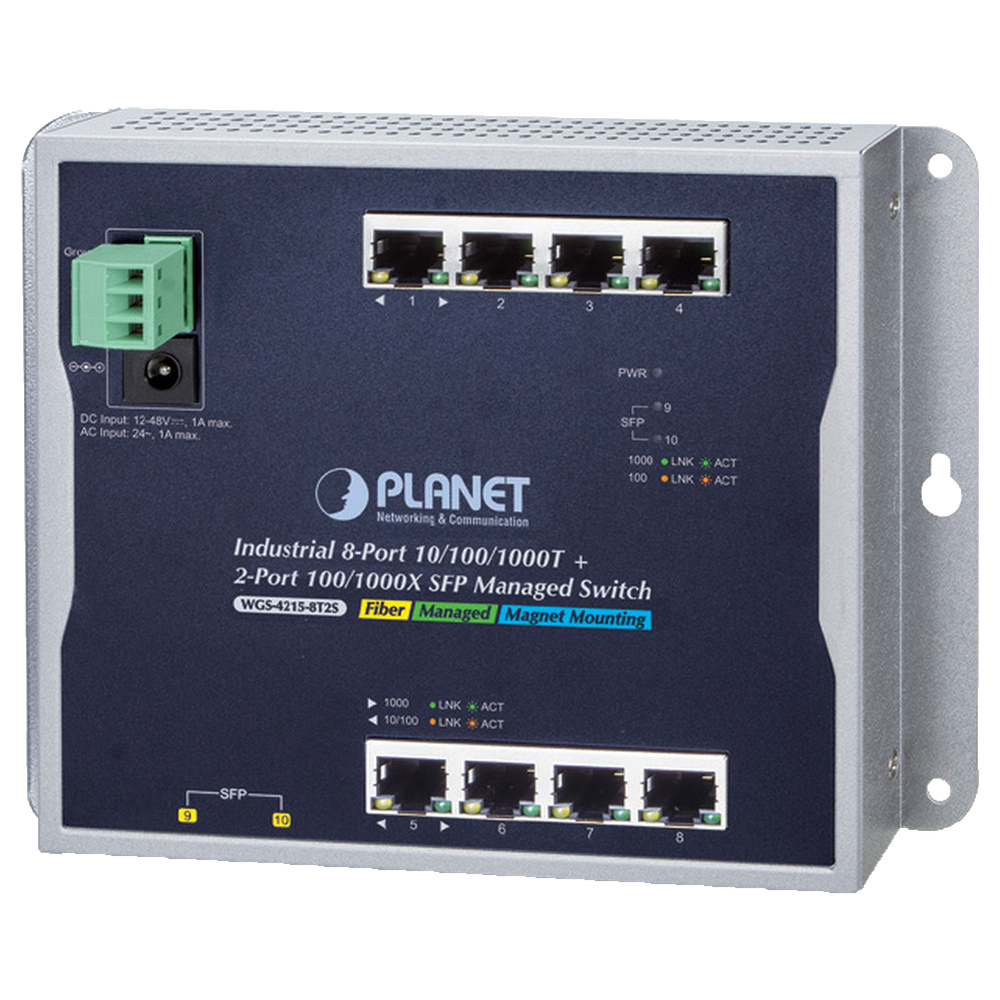
The WGS-4215-8T2S is the advanced managed wall-mount option in this comparison. PLANET documents eight Gigabit copper ports and two SFP interfaces, together with Layer 2 management and IPv4/IPv6 management support. It deserves consideration when the network needs configuration and monitoring rather than simple unmanaged connectivity. Verify the exact required functions against the current documentation before purchase.
For example, an installation may need separate traffic groups, controlled uplinks or better visibility when a connection fails. A managed switch can provide relevant tools, but those tools require an appropriate configuration and someone to maintain it. Write down the required VLAN, loop-prevention and monitoring behaviour. Then confirm the model supports that specific design instead of relying on the general word managed.
The wall-mount layout may be useful in an enclosure where a conventional rack switch is awkward. Nevertheless, check cable entry, mounting space and service access. Also confirm power and environmental requirements for the exact version. Treat this model as a management-focused alternative; do not infer powered Ethernet ports from its industrial appearance or from another model with a similar name.
Check Planet switch power and fibre compatibility
Match the input supply to the switch’s documented requirements, including the intended load. Industrial equipment may use a separate DC supply rather than a familiar desktop adapter. Confirm what the package includes. Also inspect the proposed enclosure and cable protection. The switch’s operating specification does not automatically cover the power supply, transceivers or other components installed beside it.
For fibre links, verify both ends as one system. Single-mode and multimode fibre, module wavelength and supported speed must suit the route. In addition, check the remote interface and any pairing requirements. Keep the selected transceiver models in the installation record. This makes later replacement more reliable than purchasing another module that merely has the same physical shape.
Install and test the complete switch layout
Start with a bench test using the intended power source and representative devices. Check link speed and traffic before mounting the switch. Next, connect the complete installation and test the uplink under realistic load. For PoE, confirm stable operation with all planned powered devices connected. Finally, check restart behaviour and record the working configuration or connection layout.
For the managed wall-mount model, consult PLANET’s official WGS-4215-8T2S product documentation for its documented ports and functions. Apply the manual and firmware guidance for the exact hardware version supplied. Label device connections and uplinks, and keep a recoverable copy of the configuration where appropriate. Also provide a simple port map so that future support work does not depend on remembering the original wiring.
Avoid common Planet switch purchasing mistakes
One mistake is counting SFP slots as copper device ports. Another is assuming every industrial switch includes PoE or a power supply. Also avoid choosing optics only by the slot shape. Finally, do not buy a managed model without an actual configuration plan. The useful choice is the one that supports the required network behaviour and can be maintained by the responsible team.
Maintain the network and plan useful expansion
Record the switch model, hardware version, power source, port assignments and optics. Keep ventilation and accessible connectors in good condition. If a fault appears, check power and link status first, then isolate the device connection or uplink with known-good components. On a managed model, use the documented monitoring tools and restore the recorded configuration before making several unrelated changes.
Comparing Planet Switch prices in Sri Lanka becomes easier when ports, power and management requirements are clear. Choose the unmanaged Gigabit model for a suitable simple layout, the PoE+ model for a verified powered-device and fibre design, or the managed wall-mount option for documented configuration needs. Confirm current package details and test the complete network before final handover.
Complete your network installation
Network Patch Cords · SFP and SFP+ Compatibility Guide · PoE Power Budget Guide · Structured Cabling Buying Guide
Check port interfaces and module compatibility before selecting uplink accessories.

