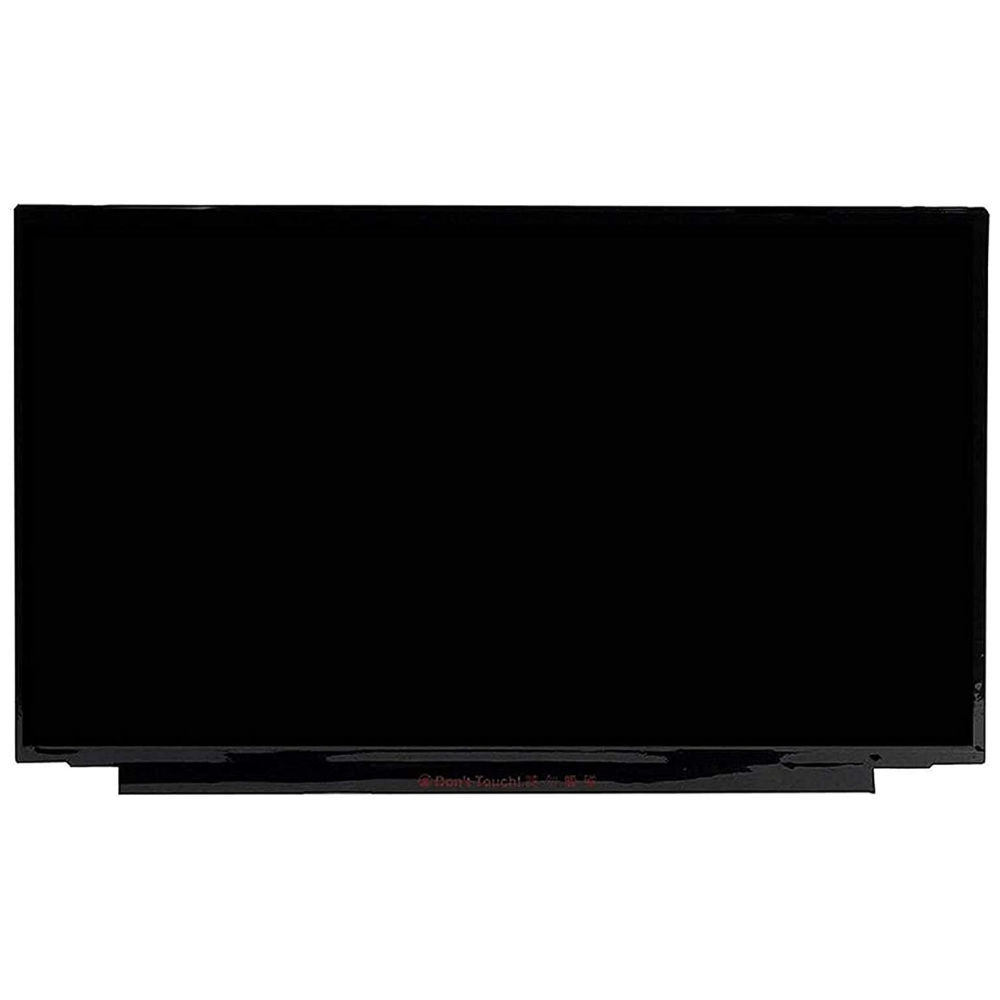
Asus (Taiwan) Original Vivobook Pro 16 K6602VV 16″ WUXGA 120Hz Non-Touch Laptop Display (6M)

Payment security

Encryption ensures increased transaction security. SSL technology protects data linked to personal and payment info.

payment methods

Asus (Taiwan) Original Vivobook Pro 16 K6602VV 16″ WUXGA 120Hz Non-Touch Laptop Display (6M)

6 MONTHS WARRANTY

රු 50,000.00

Need your laptop screen replaced?

Request a visit for laptop screen replacement.

Replacement Charges: Rs. 3,500.00
The fixing cost is separate from the product price. We will confirm compatibility and your appointment before your visit.

Request an Appointment
Need help completing your online order?We’re here to help you, step by step.

Not sure what to do next? Whether you need help choosing the right product, entering your delivery details or completing payment, our team is ready to help. Follow the steps below, or message us on WhatsApp and tell us where you’re stuck.

  1. Choose & add to cartCheck the model, specifications and warranty. Choose your options and quantity, then select Add to cart.
  2. Review your cartCheck items and quantities. Select Update cart after changes, then Proceed to checkout.
  3. Enter your detailsAdd your name, full address, town/city, postcode, phone and email. Untick Ship to a different address? if delivery is to your billing address.
  4. Review & payCheck delivery charges and your final total. Select Direct Pay, choose Place order and follow the payment instructions.
  5. Save your confirmationReturn to Richcom after payment. Keep your order number and check your confirmation email, including spam or junk. We will WhatsApp you the courier tracking code after your order has been dispatched.

Payment: Visa, MasterCard, Amex, Frimi, Ipay and Lanka-QR are listed via DirectPay. Options may vary on the payment screen. Cash on Delivery is not available.

If payment was deducted but confirmation is missing, contact us before retrying. Need installation? Use the separate appointment option on eligible products; fixing charges may apply.

Show me the checkout screens

These are real Richcom checkout screenshots, shown in black and white for easy reading and printing. Your product and total will be different.

1. Review your cartCheck your totals, then choose Proceed to checkout.
Real Richcom cart screen for online checkout
2. Add your delivery detailsComplete the required fields. Untick Ship to a different address? if we should deliver to your billing address.
Real Richcom billing screen for online checkout
3. Review and start paymentReview the total, then select Place order and follow DirectPay.
Real Richcom payment screen for online checkout
BRAND GUIDE Asus Laptop Display Buying Guide
COMPATIBILITY Asus Vivobook Pro 16 K6602VV laptops fitted with the 16-inch WUXGA 1920 × 1200, 120Hz non-touch LCD screen. Match the original panel reference, 40-pin eDP connector and cable before ordering. Other resolutions, refresh rates and OLED configurations require their own matching displays.
SCREEN SIZE 16 inches
RESOLUTION 1920 × 1200 pixels (WUXGA)
REFRESH RATE 120Hz
DISPLAY TYPE IPS-level LCD
TOUCHSCREEN No
VIDEO CONNECTOR 40-pin eDP — original connector width and layout must match
BACKLIGHT LED
PANEL REFERENCE NE160WUM-NX1

The Asus Vivobook K6602VV display is intended for the 120Hz WUXGA LCD configuration of this laptop. It provides a 16-inch viewing area with a 1920 × 1200 resolution. The 16:10 format gives you useful vertical space for documents, websites and creative work. Also, the 120Hz refresh rate keeps scrolling and supported motion smooth.

Before selecting your Asus Vivobook K6602VV display, check the model code on the underside of the laptop. Then compare the label on the original screen with the panel reference in the table. A laptop series can use several display options, even when the outer casing looks identical. Therefore, confirm the resolution, refresh rate and connector rather than choosing by screen size alone. This listing is for the non-touch LCD version. OLED, touchscreen and higher-resolution versions need a different matching part.

The display uses an LED backlight and an IPS-level LCD design. As a result, it suits everyday work, study and entertainment. Its 40-pin eDP connection must match the original cable width, position and pin layout. A connector with the same pin count does not always guarantee compatibility. For the best result, have the original panel and cable checked before installation.

Choose the Asus Vivobook K6602VV display when a damaged screen shows cracks, lines or other panel faults. However, a blank or flickering picture can also come from the cable or another component. Check the fault before ordering a display. During installation, a technician can inspect the cable, seat the connector correctly and test the picture before closing the laptop. Finally, confirm that the native resolution and intended 120Hz mode are selected in the display settings.
Weight 0.6 kg

Reviews

There are no reviews yet.

Only logged in customers who have purchased this product may leave a review.

resolution
display
refresh
warranty